NET
Enable and customize Dewesoft NET in this section.
NOTE: For more information on Dewesoft NET, please refer to Settings - Dewesoft NET and Measure - Dewesoft NET.
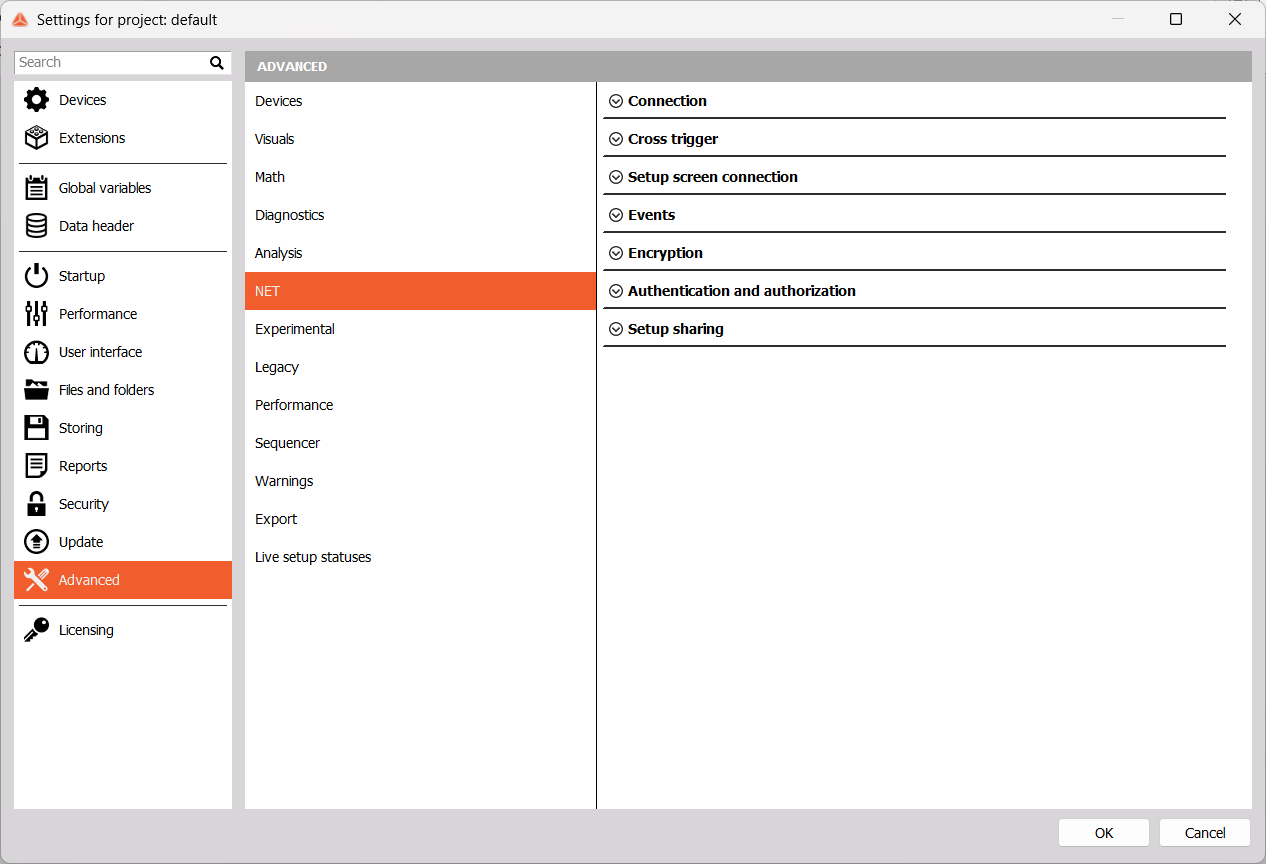
Connection
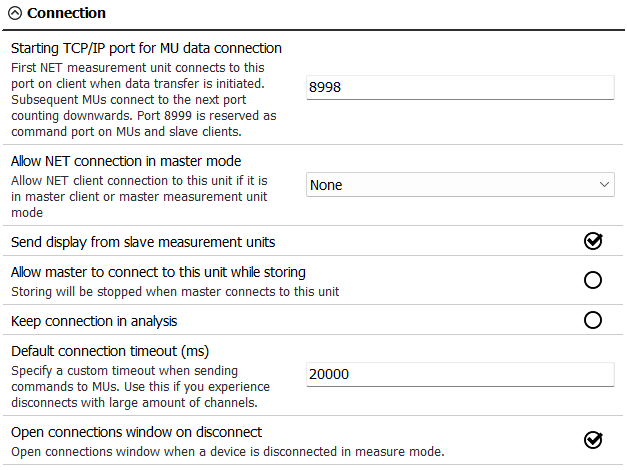
Starting TCP/IP port for MU data connection - For example, if the starting port is 8998, this port is used by the first measurement unit. The second measurement unit will use port 8997,… Port 8999 is fixed and can’t be changed. This port needs to be opened on master and slave units. Port 1999 is used for Dewesoft launcher and also needs to be opened.
Allow NET connection in master mode - Define which clients are allowed to connect.
- None
- View client only
- Master or view client
Sending displays from slave measurement units is enabled by default.
- If this unit is a slave, you can Allow master to connect to this unit while storing, in which case storing will be stopped.
- To stay connected after acquisition, enable Keep connection in analysis.
- The Default connection timeout is set in miliseconds. This is useful if you have numerous channels and experience disconnections.
- If a device disconnects while in Measure mode, the connections window will automatically open if Open connections window on disconnect is enabled.
Cross Trigger
Cross trigger is a trigger from one unit that starts acquisition on another.
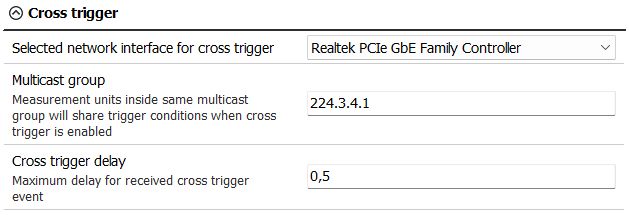
- Selected network interface for the cross trigger - Select the network card to be used for the NET system.
- Multicast group - Set up the same IP multicast address on both master and slave units for the cross trigger to work correctly.
- Cross trigger delay - Maximum allowed network delay for the cross trigger.
Setup Screen Connection
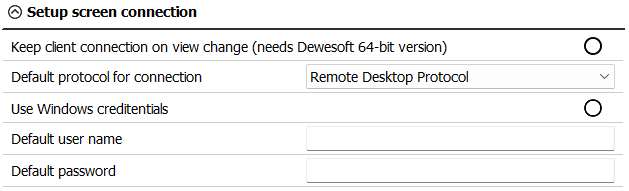
Keep client connection on view change means that the master stays connected to the slaves even when they aren’t selected. This allows for a smoother transition between slave units. To enable this option, Dewesoft 64-bit version is required.
You can also change the Default protocol for connection:
- Windows Desktop Sharing
- Remote Desktop Protocol - you may wish to use an authentication method:
- Use Windows credentials
- User name and password
- VNC - the default password is a, but you can change it here.
Events

Accepting events from clients is disabled by default, but you may wish to receive events from the Master client or both Master and View clients.
Encryption
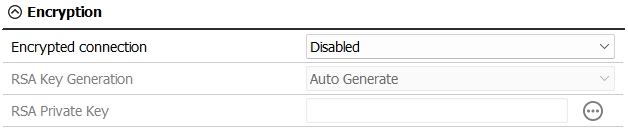
By default, Encrypted connection is disabled. You can either make it optional or required. In both cases, you will need to select if you want the RSA Key to be auto generated or import a PEM file yourself.
Authentication and Authorization
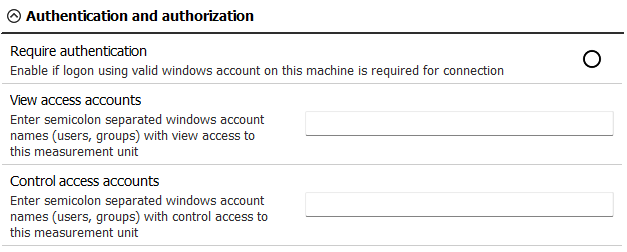
You can Require authentication via Windows account, and list accounts with View or Control access.
Setup Sharing

Select a Shared folder path for easier sharing of setup and data files.