Image
You can use the Image widget to illustrate your measurement or as a base picture to place different widgets with measured data on it.
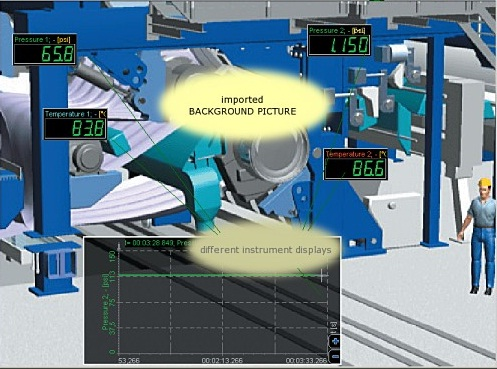
When you select the Image widget, the following settings will appear:
- Image Control properties - applicable to all widgets, please consult the linked section of the manual.
- Display options
- Load image - Select the image that you want to use. You can choose a .png, .jpg, .jpeg, .bmp, .ico, .emf, .wmf, .tif or .tiff file.
- Scaling - Select if you want to adjust the size of the image to the size of the widget. Choose between Full, Proportional or None.
- High quality stretching - Enhance the image quality.
For more information on customizing your display, please visit the Screen Editing and Widget Appearance sections of the manual.