Dewesoft NET
The Dewesoft NET application module is an efficient way to acquire data over network. You can use multiple systems as one instrument or acquire data from different locations.
Dewesoft NET application module allows one or more measurement units - MUs to be under control of other computers - clients. The MUs and clients must be connected via TCP/IP.
NOTE: Any channel can be viewed by clients, but data is stored on the MUs.
Working with Dewesoft NET consists of three procedures/steps:
- NET Setup - network configuration, appropriate hardware, connecting systems
- Measure - managing measurement units, creating a display, acquiring data, storing data on the network
- Analyze - analyzing acquired and stored data, exporting measured data
You can also find information on synchronization and data transfer limitations.
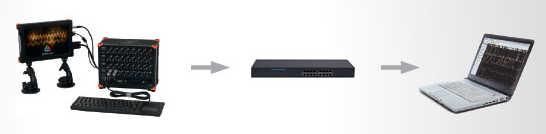
As noted in the beginning, data is stored on measurement units, but it can be viewed by clients. This is critical protection against data loss which might occur due to the network going down or transmission being interrupted. In those cases, data will still be safely stored on the measurement units. When network connection is reestablished, it is possible to reconnect automatically.
Dewesoft NET provides a distributed system when:
- the required computing power is too high for a single measurement unit (many channels sampled with a high sample rate),
- there is too much distance between units for analog data transfer,
- the measurement unit is not accessible (dangerous conditions, test rig measurements,…),
- data from measurement units needs to be displayed on several client computers,
- measurements have to be remotely controlled or supervised.
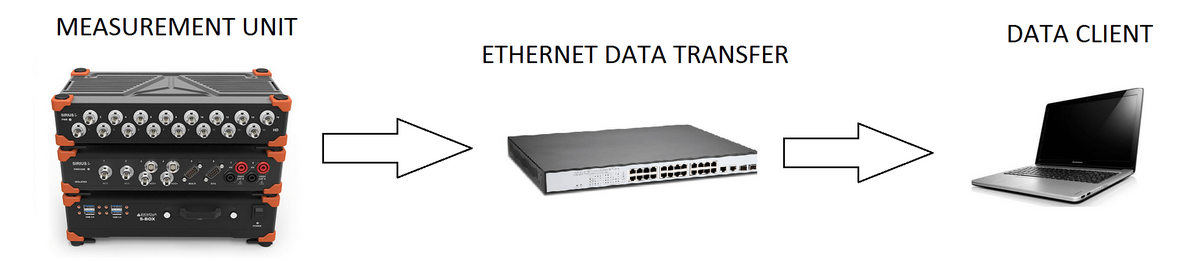
It is often not possible to transfer all channels in real time to the client for storage, even when using a gigabit Ethernet interface, which is why data is stored on measurement units and uploaded to the client later.
Example: A Dewesoft system with 32 channels being sampled at 200 kB/s each at 24-bit mode will produce 25.6 MB/sec of data. This is more than 200 Mb per second (1 Byte = 8 bits). It would not take long for the network to be overloaded with data and be overwhelmed with packet loss.
Immediately after acquisition is stopped, a button will appear on the client allowing the data file(s) to be uploaded from the measurement units.
Modes of Operation
The modes of operation listed below cover applications ranging from single channel expansion over remote control to distributed measurements over hundreds of kilometers - anything is possible.
1:1 Mode - Single MU and Single Client

1:1 mode works with a single measurement unit and a single client. In this mode, there are two types of operation:
- In full remote control, the client acts as a master of the measurement unit. For example, when the master client changes to the setup screen, the measurement unit also changes to the setup screen.
- In data view only mode, the client can connect to the measurement unit and view the live data, but can’t control it.
X:1 Mode - Multiple MUs and Single Client
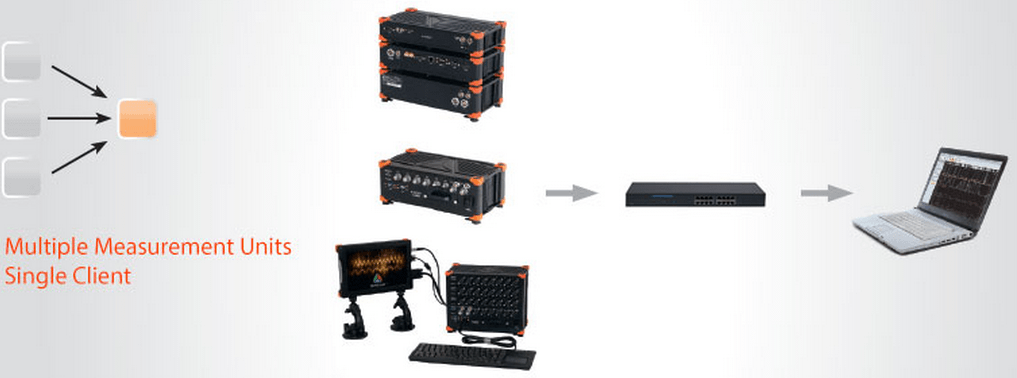
Multiple measurement units and a single client are used in the case of distributed measurements or too high acquisition rates to be managed by a single measurement unit. The measurement units have to be synchronized, either with a hardware clock (one unit is the clock master, others are slaves) or with an external clock source - IRIG or GPS.
Measurement units can have different acquisition rates if needed. The client is always the master - it starts and stops the measurement on all units in the measurement network. The client has access to view mode to one measurement system at a time (one-to-one connection like in a single MU & single client configuration). Additional view devices are possible.
1:X Mode - Single MU and Multiple Clients
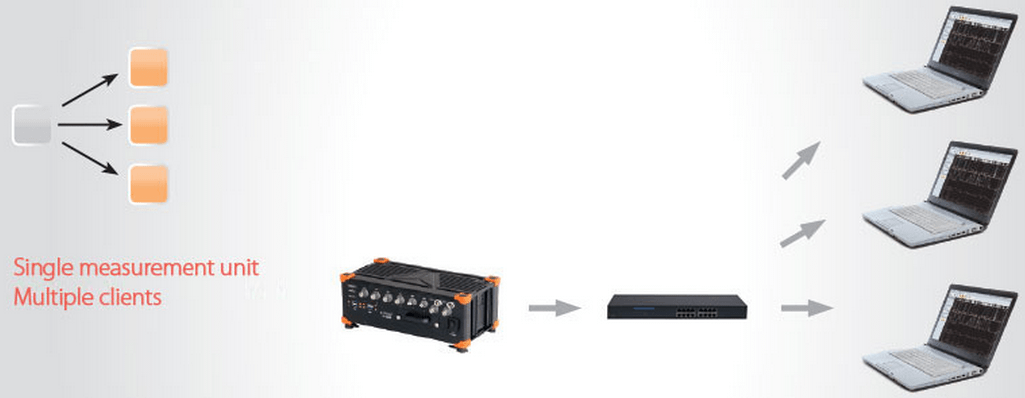
The third configuration is a single measurement unit controlled by one ‘master’ client and additional ‘view’ clients. The master client is able to change the measurement system setup, storing strategy, start/stop measurements,… The view clients are only allowed to receive data from selected channels from the measurement unit (up to the bandwidth limitation) and store it on their local hard disk.
X:X Mode - Multiple MUs and Multiple Clients
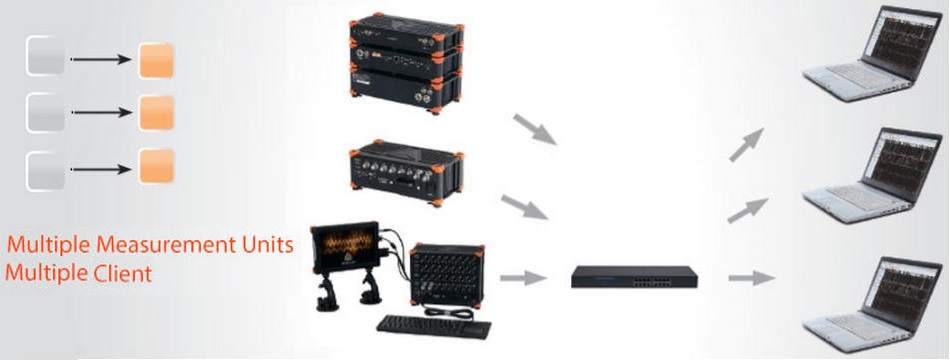
This configuration is used in large scale measurement systems where data storage is an important factor given the number of channels, the high sampling rate, and the systems on which data is stored. The acquired data can be stored and processed separately on several clients.
NOTE: The view clients are only allowed to receive data from selected channels from the measurement unit (up to the bandwidth limitation) and view and store the data on their local hard disk.
Time synchronization between data acquisition systems is done with synchronization cables. Measurement units have to be synchronized with an internal hardware clock (one unit is the clock master, others are slaves) or with an external clock source - IRIG or GPS.
The sampling rate can be different for each measurement unit. In this configuration, one master client is needed. Other clients are in view/slave mode - they can receive data from selected channels from the measurement unit and access stored data.
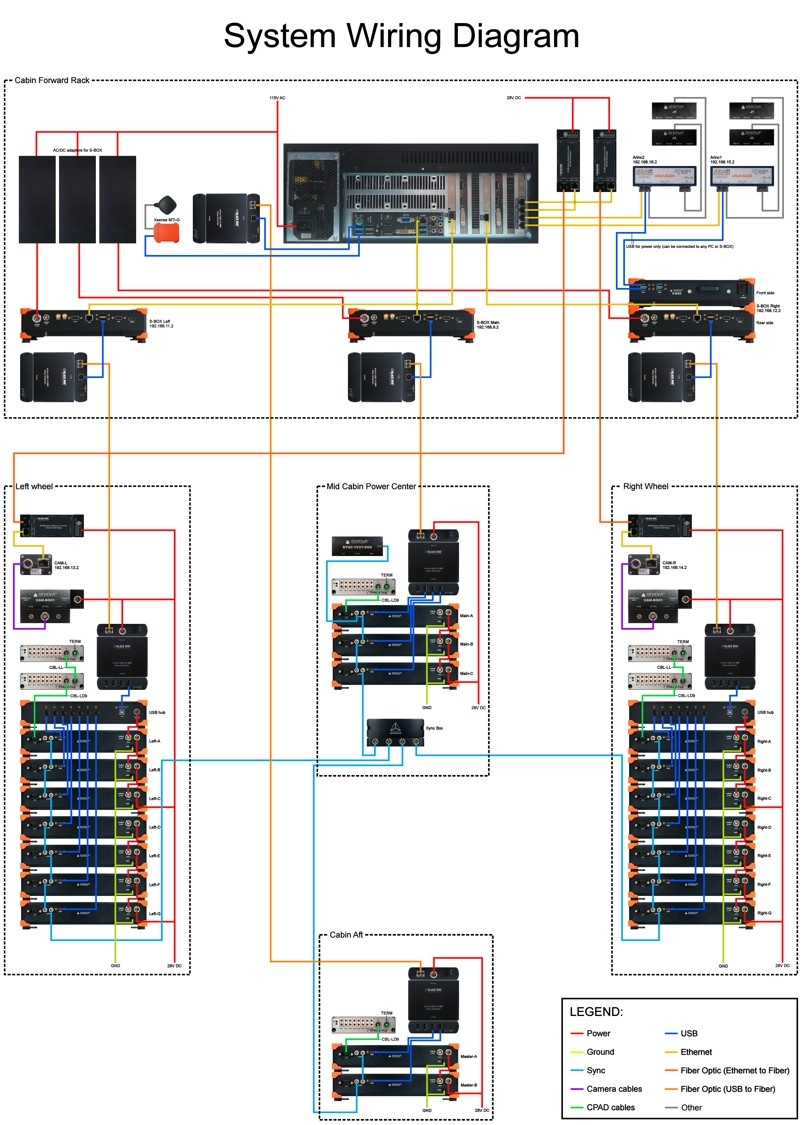
Example - Large NET System
Channels:
- Analog, 19 Sirius slices
- XSENS
- GPS
- ARINC
- CPAD
- Power module
- GigE cams
Controlled via Master computer:
- Sync: IRIG Master / IRIG Slave
- Three Slave measuring units
- Different SR
Connection:
- Ethernet to fiber extenders
- USB to fiber extenders