IP Camera
The IP camera plugin allows the connection of any IP camera that supports standard streaming protocols.
Hardware setup
Before configuring the software, ensure the camera is:
- Connected to the same network as the Dewesoft measurement system.
- Powered on and has a stable IP address.
- Accessible via a web browser (for initial configuration like resolution and bitrate).
DewesoftX configuration
To add an IP camera, go to Options - Settings - Devices and click the + button to add a new device. Click on IP Camera.
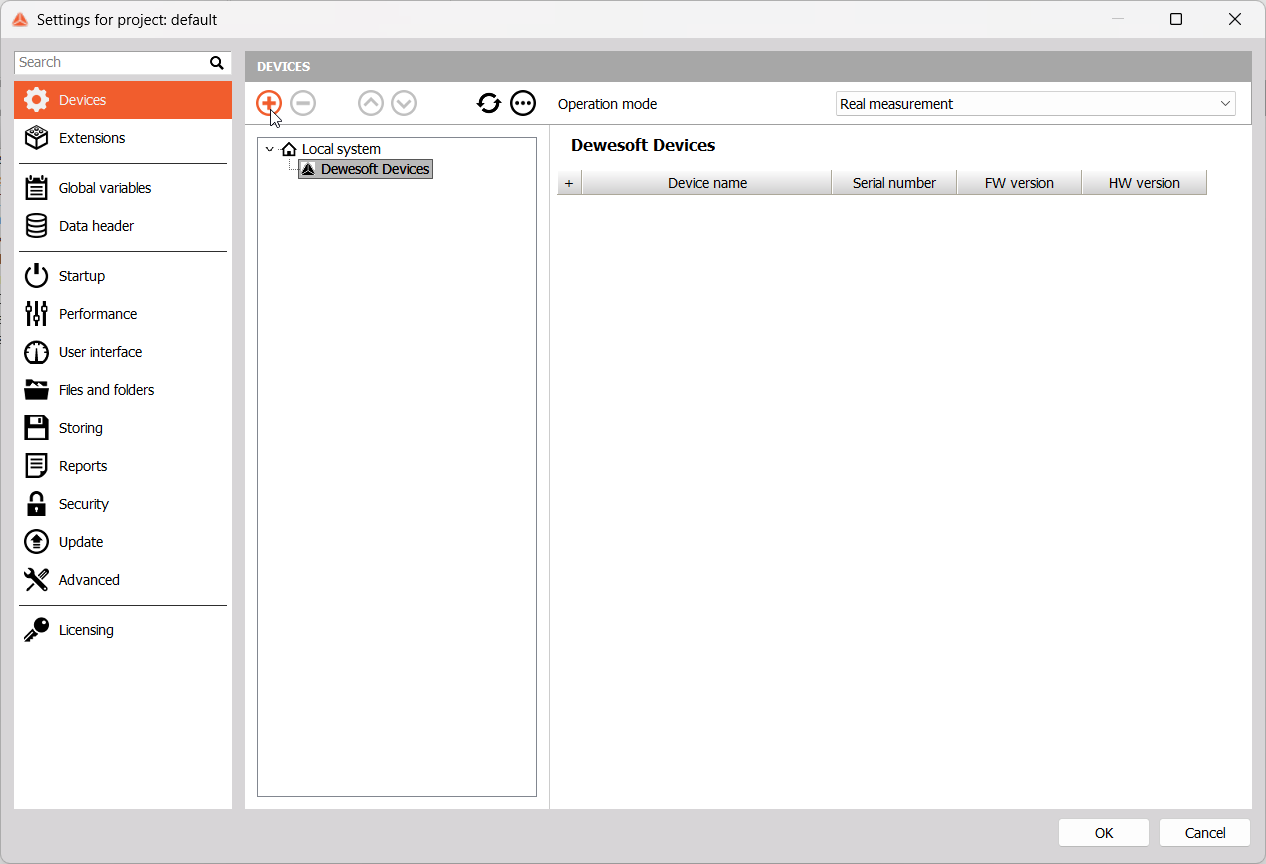
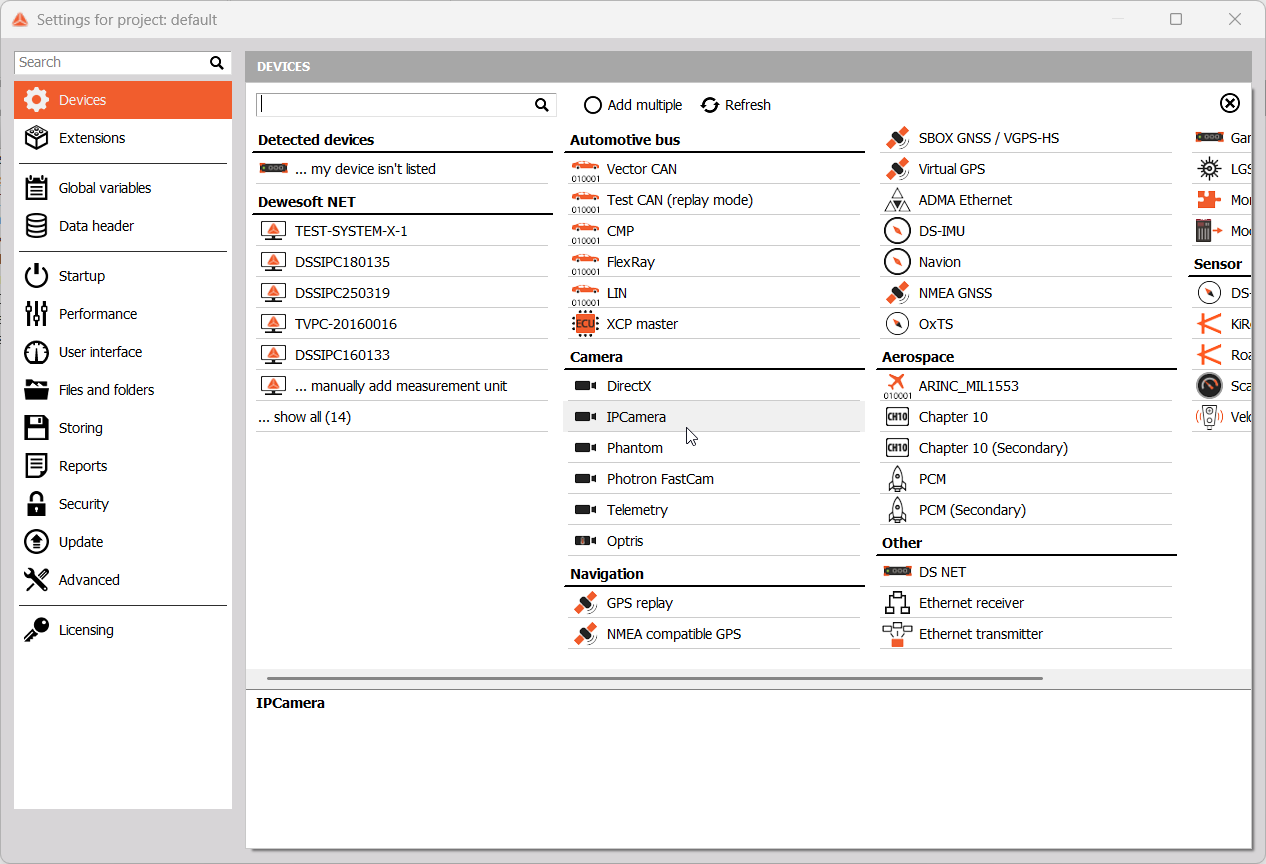
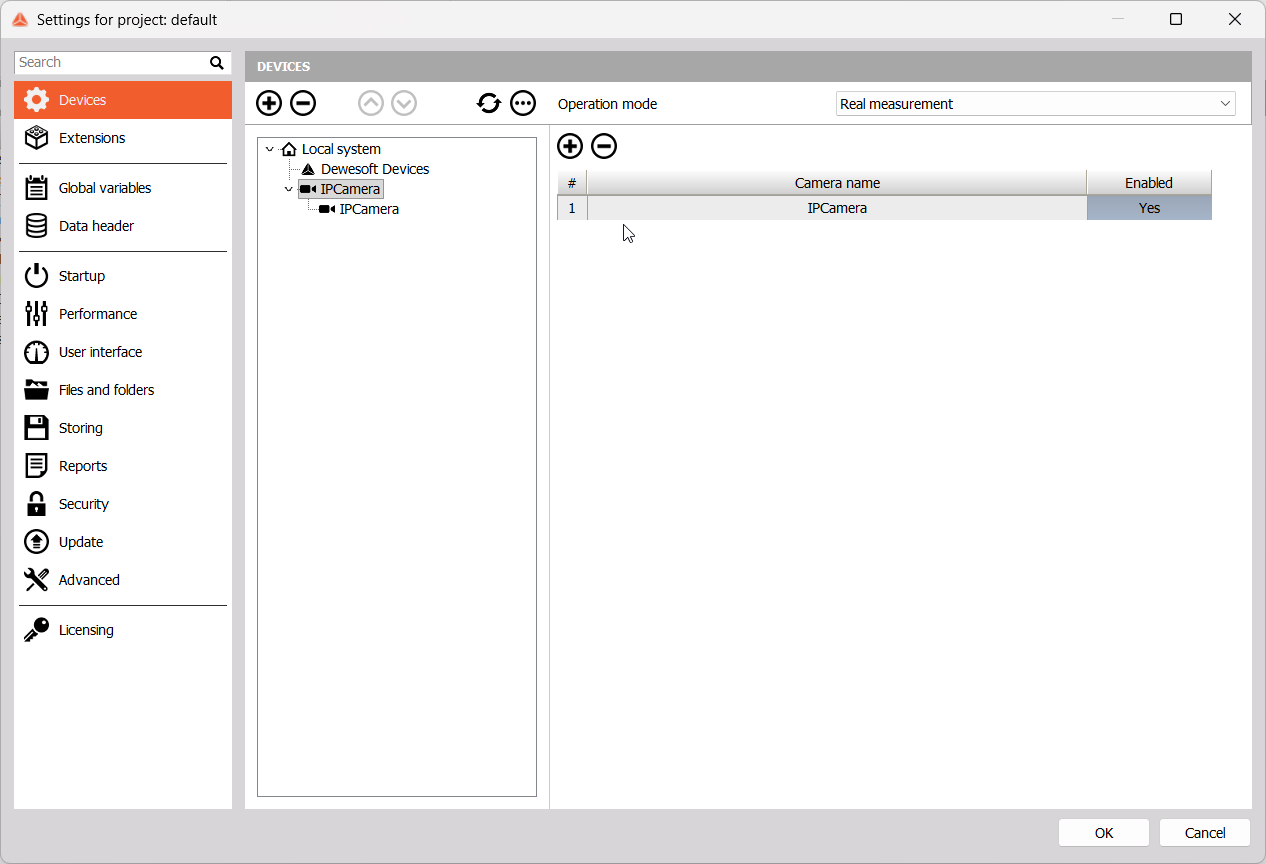
The following window will appear. One IP camera will be added by default, but you can add and/or remove cameras by using the + and - buttons.
For each camera, you will need to click on its subsection and enter an RTSP URL. To find what the format of your camera’s URL should be, you can refer to your camera’s manual or an online tool.
NOTE: If you are unsure of your camera’s RTSP path, you can use the I-SPY Connect database to find the correct string for your specific camera model.
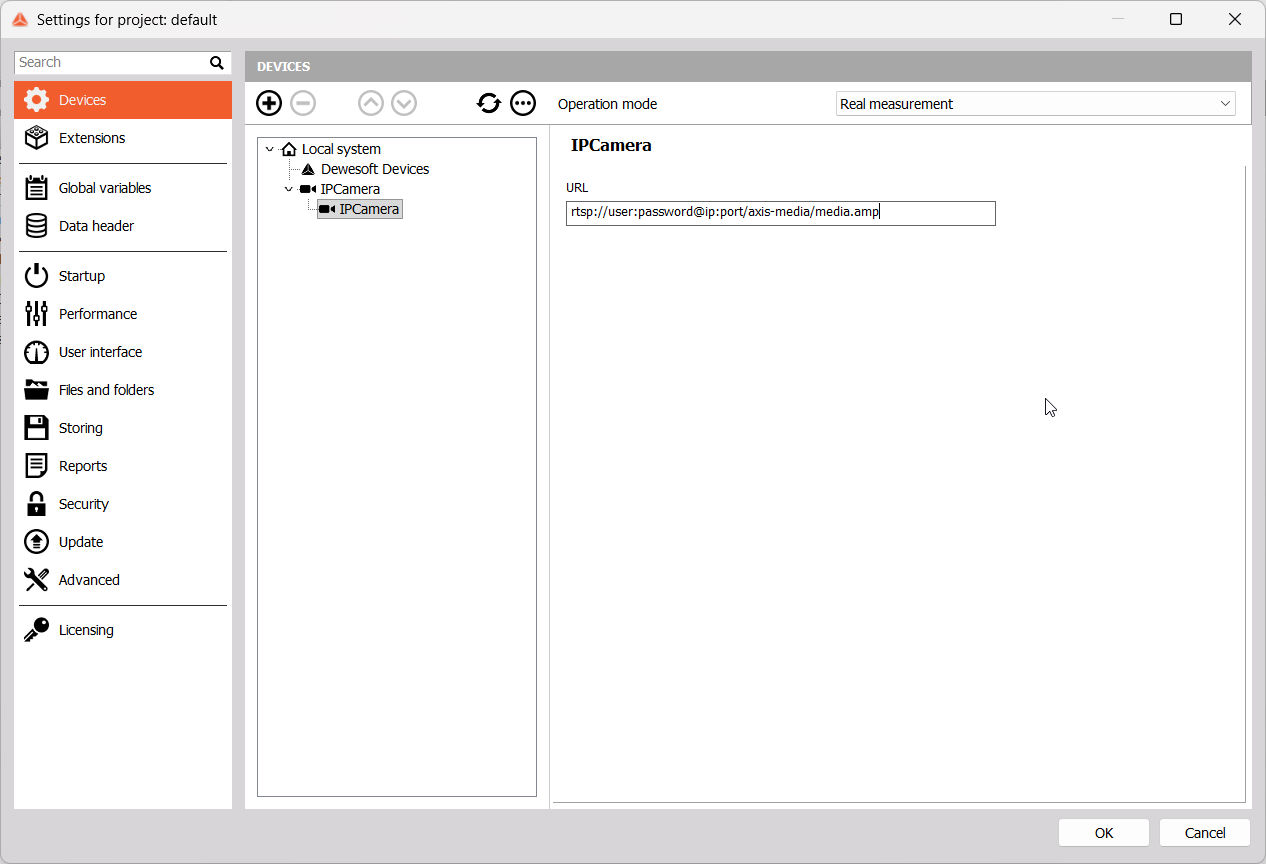
NOTE: You can also set additional parameters in the URL itself, such as frame rate and resolution.
After entering all URLs, click Ok to save the changes and exit the settings menu. The Video module will appear in Channel setup. When entering Measure mode, a premade Video display will be added automatically.
Troubleshooting
If the camera does not appear in DewesoftX or shows a “Connection failed” error, follow these validation steps outside of DewesoftX.
Test with FFplay (FFMpeg)
Since DewesoftX uses the FFMpeg library, this is the most reliable test. If it works here, it will work in DewesoftX.
- Download FFmpeg
- Open a terminal/command prompt in the folder of the downloaded library
- Run the following command with your camera URL: ffplay.exe -rtsp_transport tcp “rtsp://user:pass@IP:port/path”
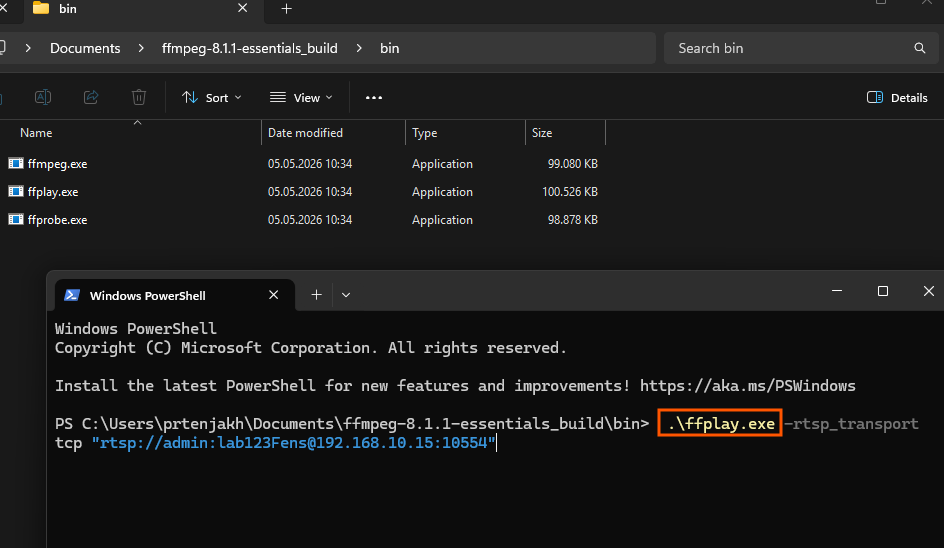
Result: If a window opens with a live video, the connection string and network are correct.
Test with VLC Media Player
A user-friendly way to check the stream is via VLC:
- Open VLC and go to Media —> Open Network Stream.
- Paste your RTSP URL.
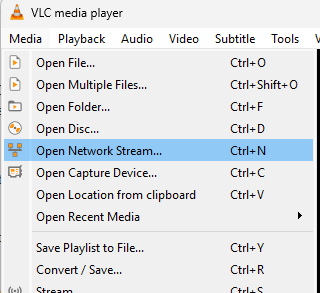
Result: If VLC displays the video, the camera is broadcasting correctly.