Modules embedded on DAQ devices
Device modules are reusable software components, known as Function Blocks, that run directly on your embedded device using DewesoftRT. Each Function Block performs a specific task, ranging from mathematical processing and signal decoding to advanced data recording and specialized outputs. By adding Function Blocks, you can extend your device’s capabilities beyond standard data acquisition.
These modules are designed for Dewesoft embeded devices, and some advanced functionalities require additional licenses.
Device modules can be accessed via Dark Mode
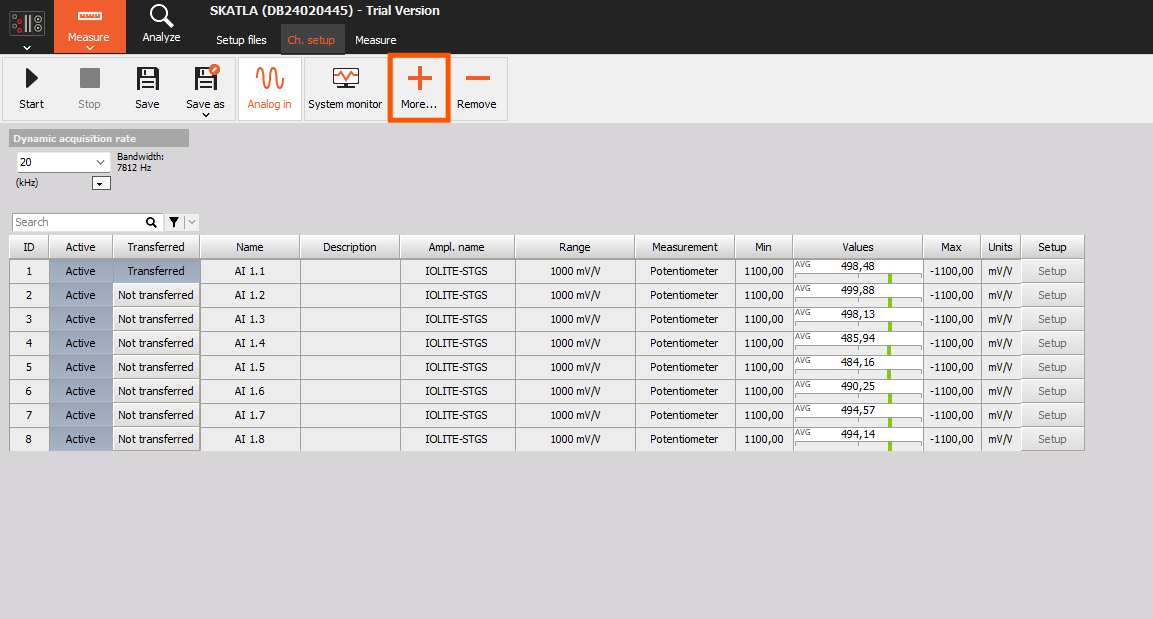
How to add Device Module
By default, the System Monitoring module is already available on the device. To add a new module:
- Click the plus (+) button in the top-right corner (as shown in the image).
- Choose the desired module from the available list. (Only modules supported by your device hardware and license will appear.)
- Once selected, the module is immediately added and available for configuration.
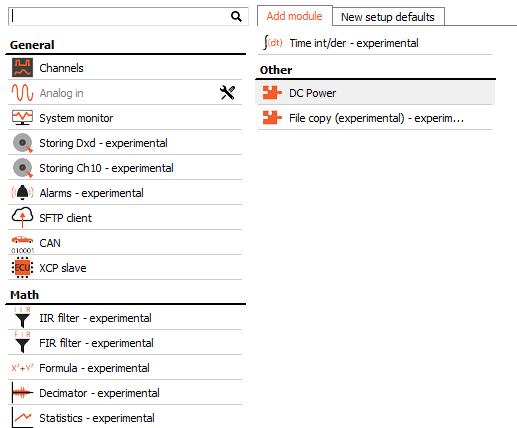
NOTE: Some modules require additional licenses or specific hardware features. For example, the CAN module is available only if your device has a CAN port.
All function modules share a similar, intuitive layout, typically divided into three main sections:
- + Add Signal – Select input signals that the module will process or use.
- Properties – Customize the specific behavior and parameters of the module
- Output Signals - Review output signals generated by the function module after processing.
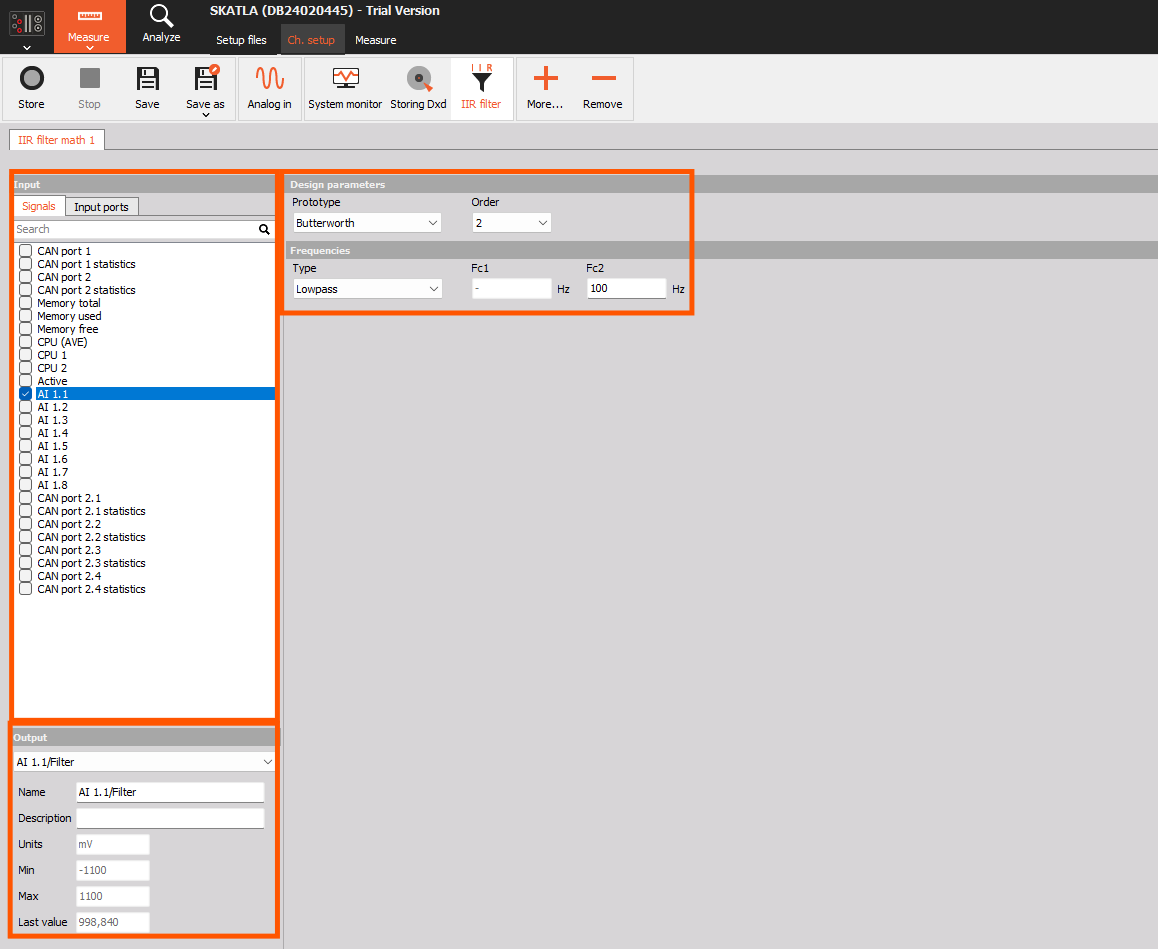
Although all function modules follow the same basic structure, their functionalities and settings differ significantly based on their purpose and task.