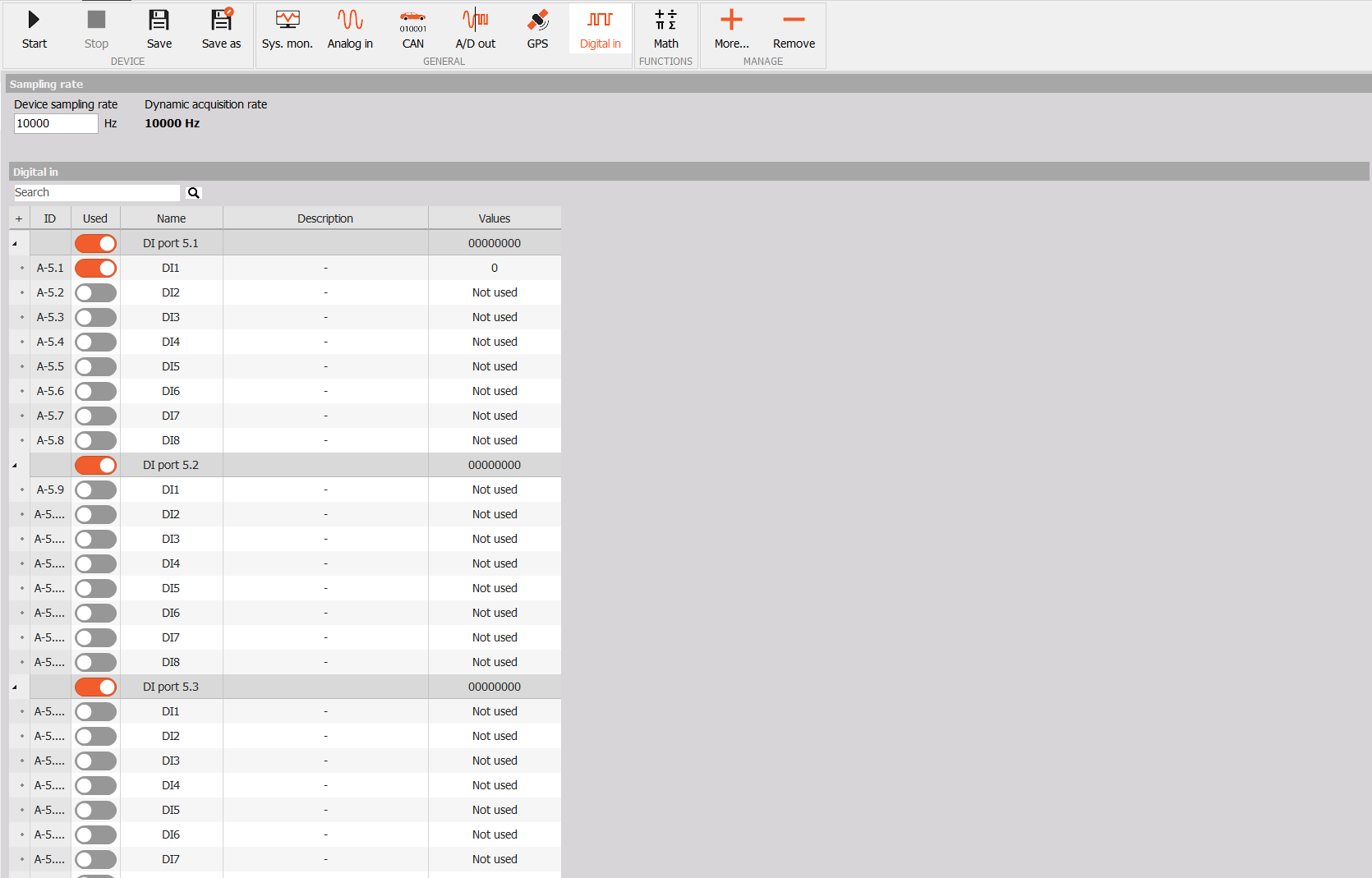
Digital In
Use Digital in to enable the digital input (DI) channels you want to measure and preview their current states. Channels are grouped by port.
Enable a DI channel
- Select your device in the sidebar and open Config → Digital in.
- Find the required port and expand it using the arrow on the left to show its DI channels.
- Turn on the Used switch beside the channel you want to measure, for example DI1. The switch turns orange when the channel is enabled.
- If needed, edit the channel Name and add a Description to make it easier to identify.
Preview the input state
The Values column shows the current state of each enabled channel: 0 means low and 1 means high. Channels that are disabled show Not used.
The port row shows the states of its inputs together. In the example below, the preview is 00000000, meaning all eight inputs are low. DI1 is enabled and its individual value is 0.