Octave analysis
The on-device Octave analysis module calculates a frequency spectrum in octave or fractional-octave bands directly on the measurement system. This constant-percentage-bandwidth analysis is commonly used for sound and vibration measurements.
For background information, see the DewesoftX Octave analysis page. The settings described below are those available in the on-device module.
Input and output
Select the required input signal in the Input section. Use Search to locate a signal in a longer list. The available signals depend on the connected measurement system and its configuration.
The Output section lists the resulting octave spectrum, for example AI 1/Octave spectrum. Select an output to edit its Name and Description. The Units, Min, and Max fields shown in this section are read-only in this setup; select the result format using Output unit in the calculation options.
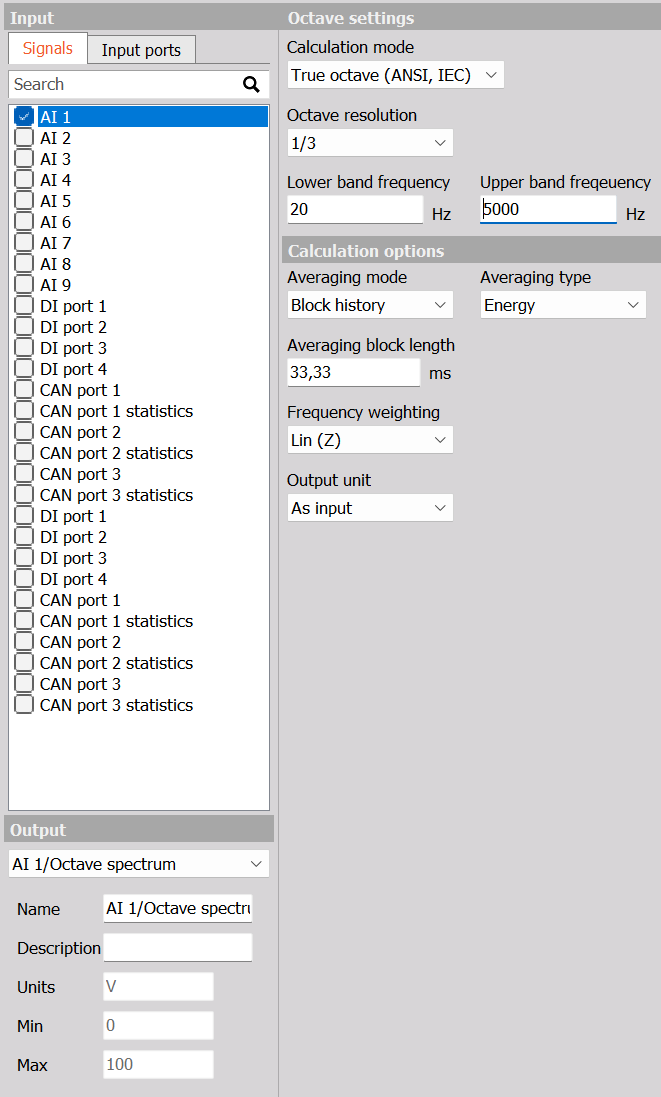
Octave settings
Calculation mode
Choose the calculation method:
| Calculation mode | Description |
|---|---|
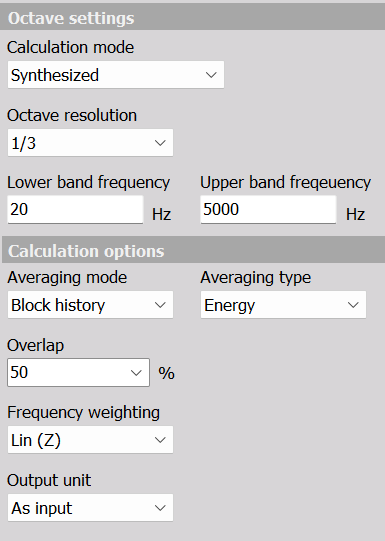
| Synthesized | Calculates the octave bands from an FFT spectrum. The calculation options include Overlap. |
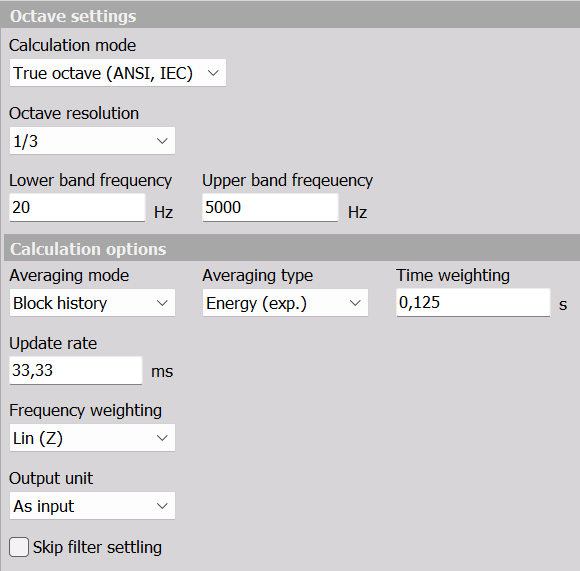
| True octave (ANSI, IEC) | Uses a bank of octave-band filters. Additional controls set the averaging time or block length and whether to skip filter settling. |
Octave resolution
Select 1/1, 1/3, 1/6, 1/12, or 1/24 octave resolution. These settings provide one, three, six, twelve, or twenty-four bands per octave, respectively. Finer resolution separates the frequency range into more bands.
Frequency range
Enter Lower band frequency and Upper band frequency in Hz to define the analysis range. Choose a range appropriate for the input signal and its sample rate, and check any frequency-range warning shown by the module.
Calculation options
Averaging mode
| Averaging mode | Description |
|---|---|
| Block history | Produces successive octave spectra so changes over time can be examined. |
| Overall (averaged) | Produces an overall spectrum averaged over the measurement. |
Averaging type
The available choices are Energy, Maximum, and Energy (exp.). Select energy averaging for an averaged band result, maximum to retain the highest band result over the relevant calculation interval, or exponential energy averaging for a time-weighted result.
The time controls depend on the calculation mode and averaging type, as described below.
True-octave time controls
With True octave (ANSI, IEC) selected:
| Averaging type | Available time controls |
|---|---|
| Energy or Maximum | Averaging block length, entered in ms. |
| Energy (exp.) | Time weighting, entered in s, and Update rate, entered in ms. |
Averaging block length sets the duration of a calculation block. With exponential averaging, Time weighting sets the averaging response time, while Update rate sets the interval between output updates. A shorter time weighting follows changes faster; a longer value smooths them more strongly.
The Skip filter settling checkbox is also available in true-octave mode. Enable it to exclude the initial settling period of the filters from the result.
Synthesized overlap
With Synthesized selected, Overlap sets the percentage of data shared between successive analysis blocks. The dropdown provides 0, 10, 25, 50, 66.7, 75, and 90%. For example, 50% overlap means adjacent blocks share half their data.
The true-octave time controls and Skip filter settling are not displayed in synthesized mode.
Frequency weighting
Select Lin (Z) for an unweighted result, or choose A, B, C, or D frequency weighting to suit the measurement.
Output unit
Choose As input to retain the input signal’s unit, or Sound dB for a sound-level result. For acoustic measurements, configure the input signal’s sensor scaling and calibration before interpreting the sound-level output.
Example configuration
For a fractional-octave spectrum of an input signal, select the input and set Octave resolution to 1/3. An example analysis range is 20 Hz to 5000 Hz, provided the input’s sample rate supports that range.
For successive synthesized spectra, choose Synthesized, Block history, Energy, and 50% overlap. Use Lin (Z) with As input to examine the spectrum without frequency weighting or conversion to sound dB.
These values illustrate a configuration; they are not a statement of the module’s defaults.