Tracking filter
The on-device Tracking filter extracts a frequency component from an input time signal. Its centre frequency follows a selected frequency source or a fixed frequency. The result is a filtered time signal.
For background information, see the DewesoftX Tracking filter page. This page describes the controls available in the on-device module.
Input and output
Select the signal to filter in Input. This is separate from the frequency-reference signal selected under Frequency source. Use Search to find an input in a longer list.
The Output selector lists the filtered signal, for example AI 1/TrackingFilter. Select it to inspect its properties. Name and Description are editable; Units, Min, Max, and Last value are read-only information.
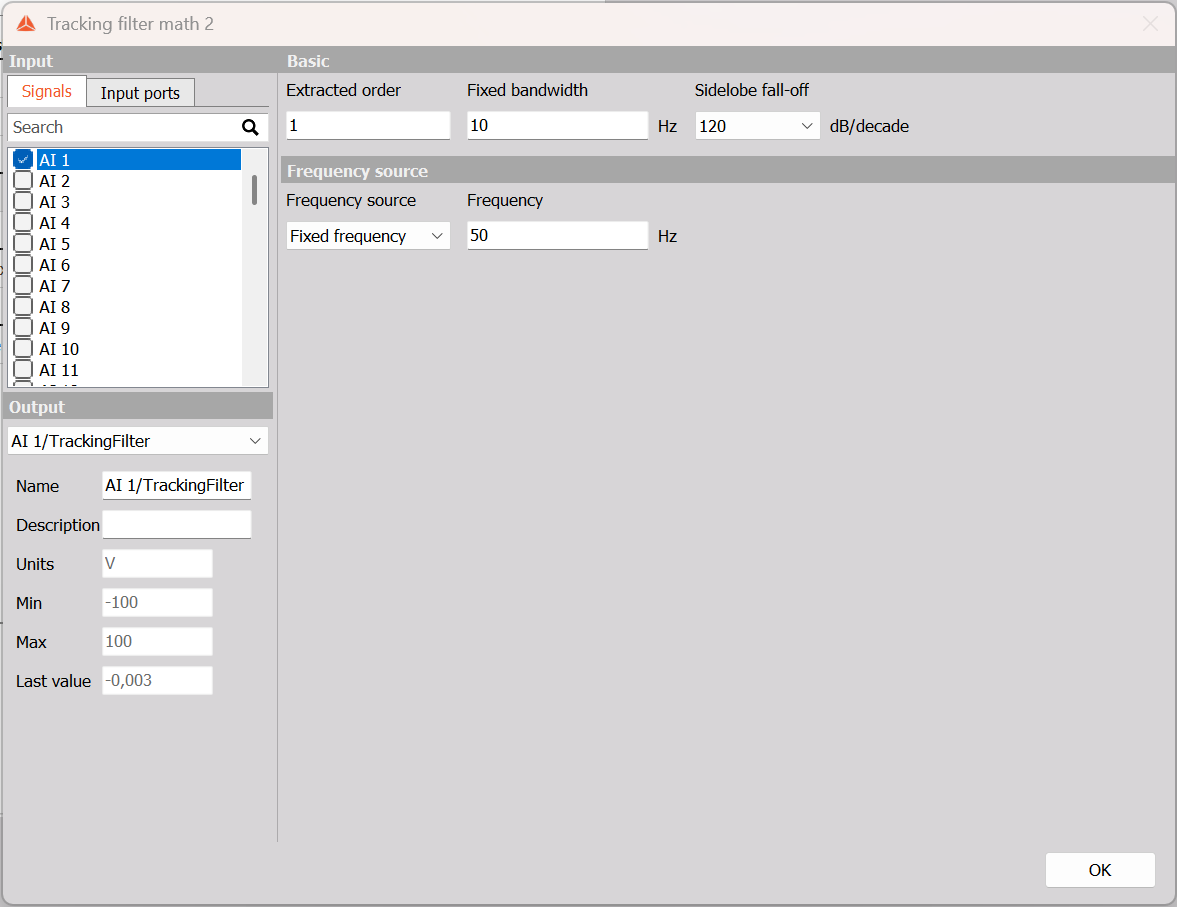
Example: AI 1, extracted order 1, fixed bandwidth 10 Hz, sidelobe fall-off 120 dB/decade, and fixed frequency 50 Hz.
Basic settings
| Parameter | Purpose |
|---|---|
| Extracted order | Selects the order of the reference frequency to extract. Order 1 follows the reference itself; order 2 follows twice that frequency. |
| Fixed bandwidth | Sets the width of the frequency band around the extracted component, in Hz. |
| Sidelobe fall-off | Sets the filter steepness, in dB/decade. Available selections are 20, 40, 60, 80, 100, 120, 140, 160, and 180. |
The centre frequency is the reference frequency multiplied by Extracted order. A narrower bandwidth rejects more of the surrounding frequency content. Choose the bandwidth to retain the component of interest as operating conditions change.
Frequency source
From signal enables the Signal selector. Choose the channel that provides the reference frequency. Use a frequency signal that accurately represents the component being tracked. The filtered input and frequency-reference channel have different roles even when both are available in the signal list.
Fixed frequency replaces the signal selector with a Frequency field in Hz. Use it when the reference remains constant and does not need to follow another channel.
Example configuration
For a fixed 50 Hz reference, Extracted order = 1 centres the filter on 50 Hz. With Fixed bandwidth = 10 Hz, the nominal band extends from 45 to 55 Hz. Changing the extracted order to 2 moves the centre to 100 Hz.
These values illustrate the settings; choose a suitable frequency and bandwidth for the actual signal and sample rate.