Indicator lamp 
The Indicator lamp widget can be used to show the state of digital signals, supervise the value analog signals in a true/false way, or show discrete values.
When you select an Indicator lamp, the following settings will appear in the Widget tab to the left:
- Indicator lamp Control properties - please visit the Control properties section of the manual for more information
- Values
- Coloring
- Drawing options
Values
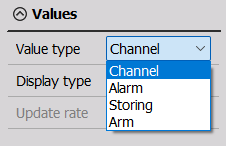
You can choose from four value types:
- Channel - assign a channel to the widget
- Alarm - indicates if an alarm has been activated; you will have to select which alarm you want to assign to the widget in this section as well
- Storing - indicates if storing is in progress
- Arm - the measuring device is armed, i.e. ready to perform measurements
For more information on Display type and Update rate, please visit the Graph Settings section of the manual.
Coloring
The Coloring section changes depending on the value type chosen previously. Along with the Values section, it dictates how the Indicator lamp will behave.
Channel
You can select values for the upper and lower limits, as well as colors for a signal within the limits and above/below. It is possible to set only the upper or lower limit, as well as both. For more information, you can visit Graph Settings - Upper & Lower Limits.
Example - both limits:
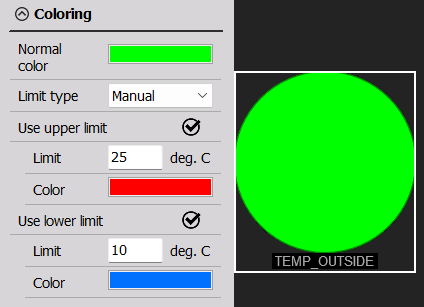
When the temperature is below 10°C, the lamp is blue. Between 10°C and 25°C, the lamp is green. The lamp will be red if the temperature is above 25°C.
Example - upper limit:
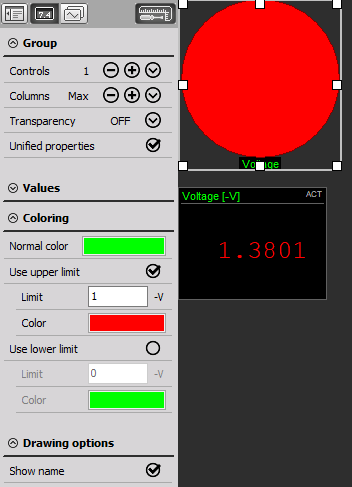
When the voltage is below 1 V, the lamp becomes green. As soon as the voltage is above 1 V, the lamp becomes red.
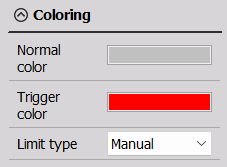
The three following options have the same Coloring section:
Alarm
After choosing which alarm you want assigned to the Indicator lamp in values, you can choose the color of the lamp when the alarm is not active and when it is triggered.
Storing
The Indicator lamp can also show you when storing is in progress. Just like the alarm, you can set the color before/after storing and during it.
Arm
You can pick the color of the Indicator lamp when the measuring device is armed and when it is not.
Drawing Options
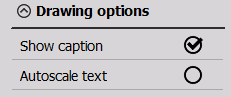
The Indicator lamp widget is a colored circle with the name of the assigned channel (caption) below it. Besides coloring, you can customize the appearance by (un)checking: * Show caption - show or hide the channel name * Autoscale text - adjust the size of the text automatically