Analog meter 
The Analog meter is designed to give a graphic visualisation of the current value of a signal within the defined display range.
When you select Analog meter in design or run mode, control properties will appear on the left and right parts of the screen. For detailed information about Control properties: grouping, number of columns, add/remove widgets, transparency,… see Control properties.
Analog Meter Settings
Typical Analog meter settings are:
- Display type -> Graph settings
- Analog meter type
- Average time -> Graph settings
- Upper / Lower limit -> Graph settings
- Minimum / Maximum shown value -> Graph settings
- Channel selector
For detailed information about assigning or reassigning channels, see Display settings.
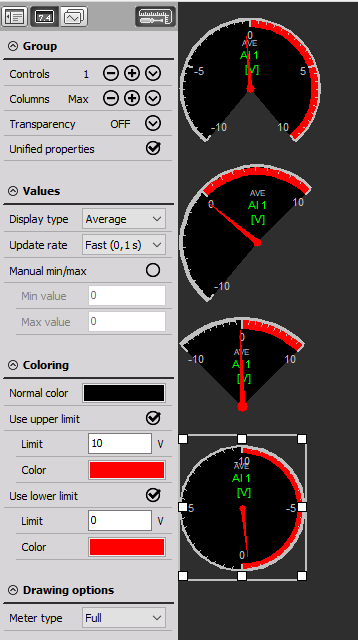
Analog Meter Type and Appearance
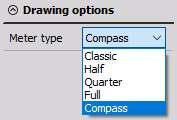
You can choose between five types of analog meters. Beside the measurement values, they all contain the channel name, display type and unit.
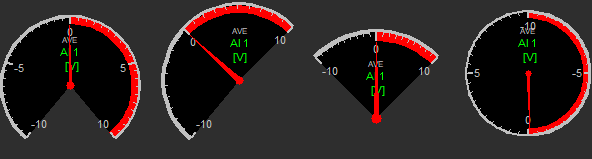
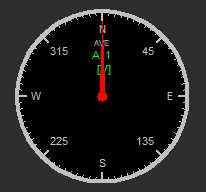
For detailed information about widget positioning, size and transparency, see Screen editing.