Device Modules
Device modules are reusable program elements or “add-ons” running on your embedded device. They handle specific tasks, from mathematical processing and signal decoding to advanced data storage or specialized outputs. By adding device module, you enhance your device’s capabilities beyond standard measurements.
These modules are specific to Dewesoft devices, and certain advanced modules require an additional license. Third-party devices may not support these modules or may show a limited set, depending on their hardware and licensing.
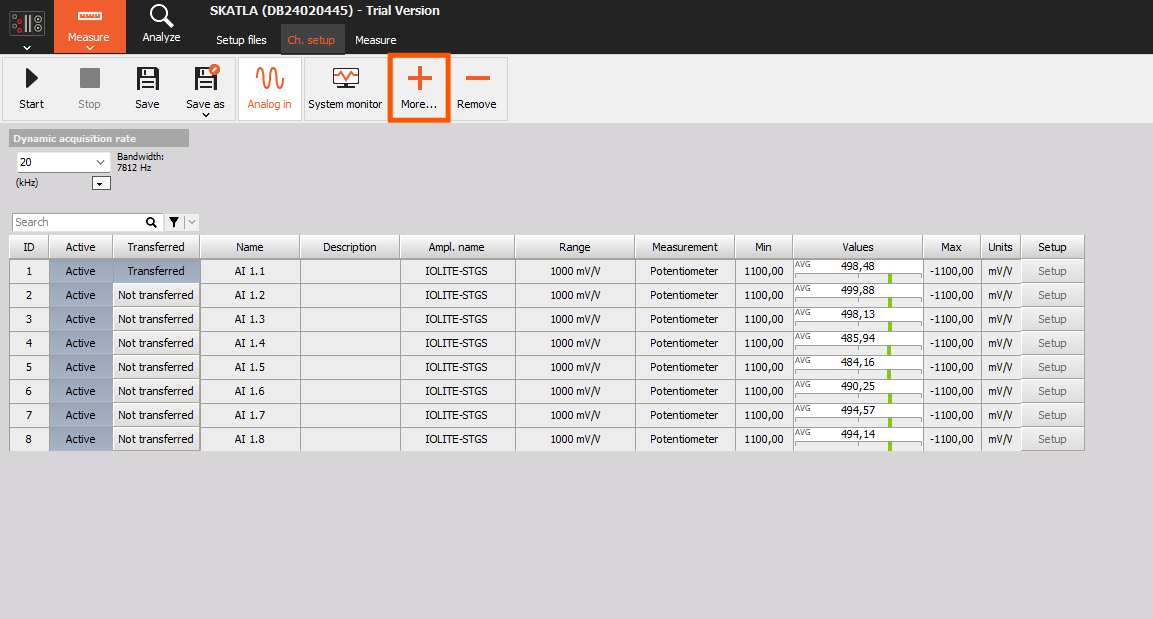
How to add Device Module
By default, the System Monitoring module is already available on the device. To add a new module:
- Click the plus (+) button in the top-right corner (as shown in the image).
- Choose the desired module from the available list. (Only modules supported by your device hardware and license will appear.)
- Once selected, the module is immediately added and available for configuration.
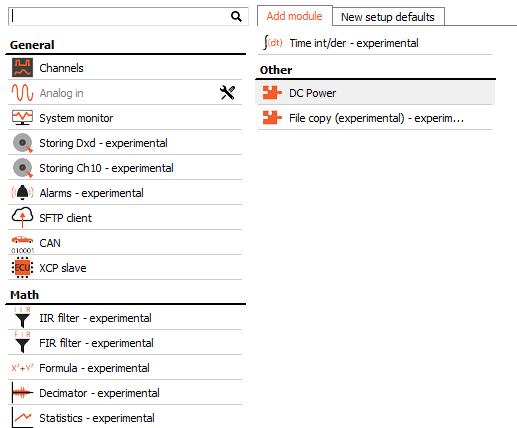
NOTE: Some modules require additional licenses or specific hardware features. For example, the CAN module is available only if your device has a CAN port.
All function modules share a similar, intuitive layout, typically divided into three main sections:
- + Add Signal – Select input signals that the module will process or use.
- Properties – Customize the specific behavior and parameters of the module
- Output Signals - Review output signals generated by the function module after processing.
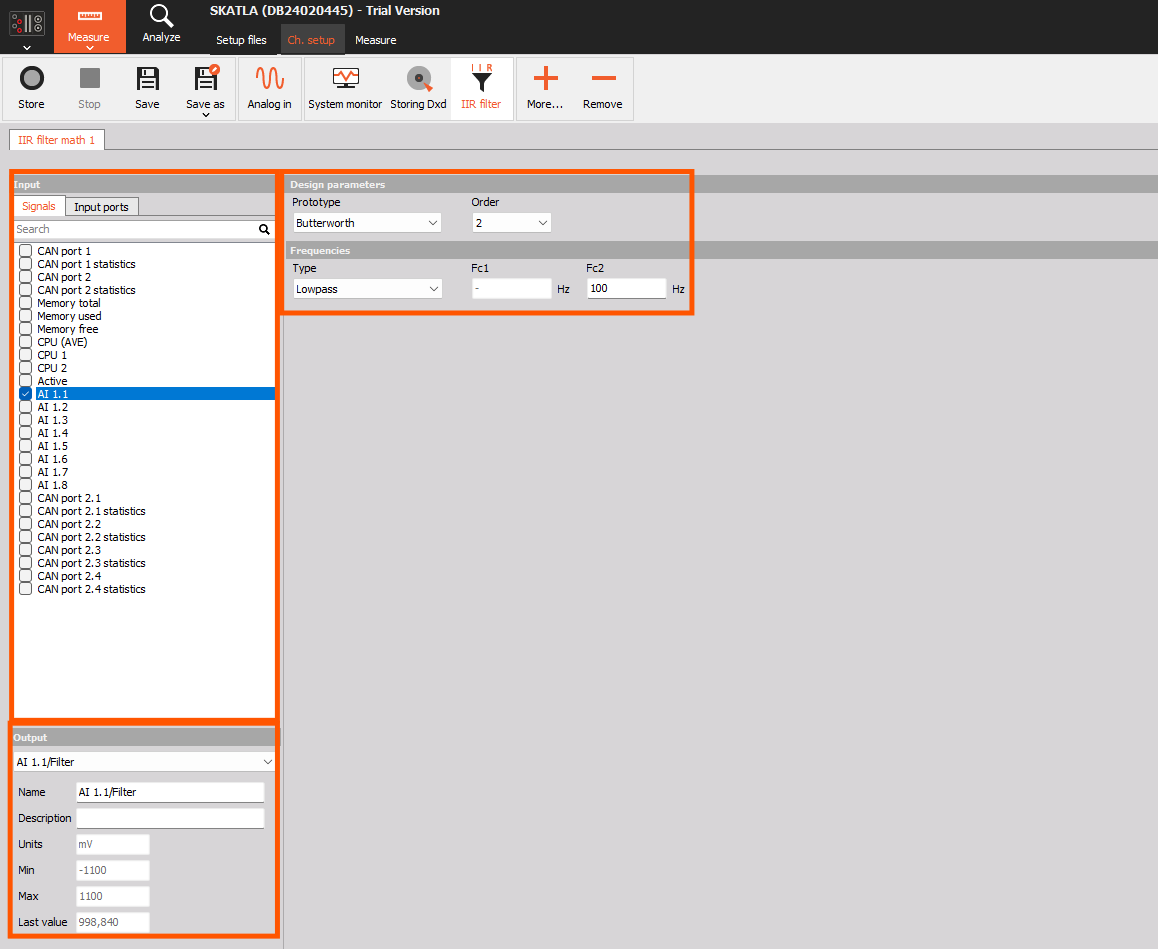
Although all function modules follow the same basic structure, their functionalities and settings differ significantly based on their purpose and task.