Formula Math
The Formula Math module allows you to create custom mathematical expressions (formulas) to perform advanced signal processing. You need to fill expressions with at least one input channel and then add operations such as constants (e, pi), dynamic variables (time, previous output value prev), and mathematical functions like sin(), cos(), exp(), or sqrt().
To build an expression, first define channel slots directly in your formula using custom labels (e.g., ‘velocity’, ‘temperature’, ‘a’, or “velocity”, “temperature”, “a”). Each slot acts as a placeholder for an actual input channel that you’ll assign afterward. The resulting calculation always generates a new output channel.
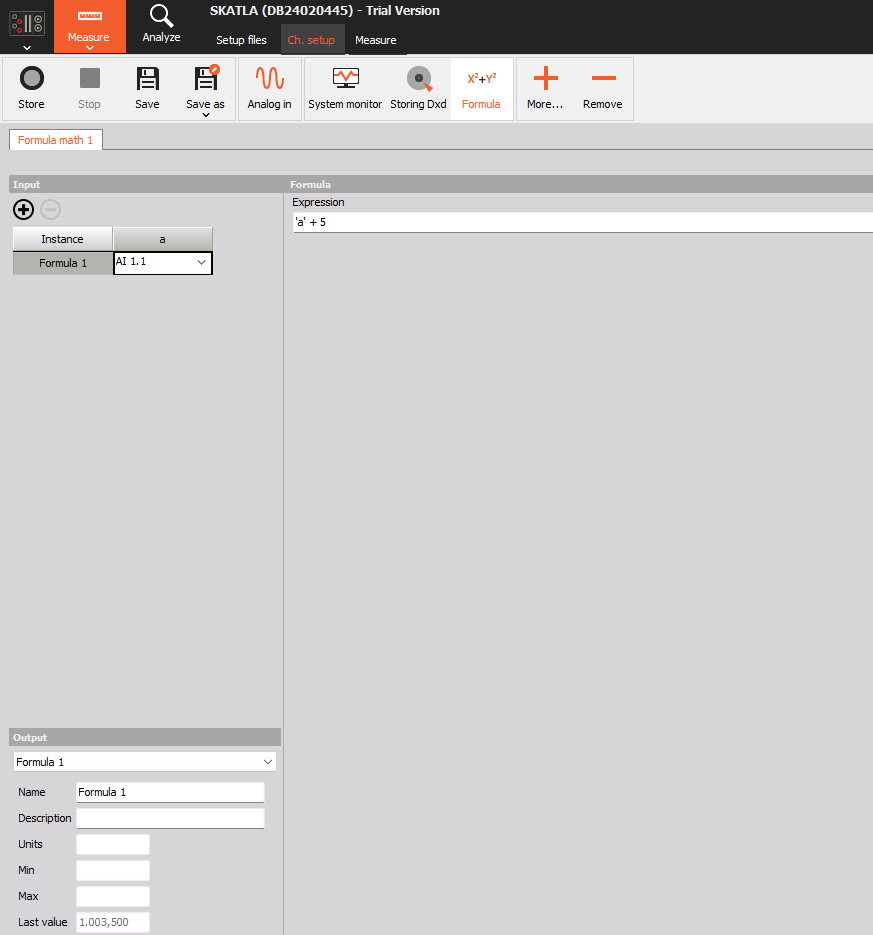
Basic arithmetic
‘velocity’ + 5 (adds a constant of 5 to the assigned input channel named velocity)
- ‘temperature’ * ‘pressure’ multiplies two input channels assigned to temperature and pressure
Predefined constants:
Formula allows you to use predefined mathematical constants: Euler’s number (e) and Pi (pi).
- ‘a’0 + e or ‘a’0 + pi Outputs the value of the constant e or pi
Conditional statement:
The formula feature allows you to define and create your conditions using IF statements.
- if(‘a’>1, 1,0) Outputs e if expression c evaluates to non-0, and f if c evaluates to 0
Calculate the sine of an input channel (single-value channel output):
sin(‘a’) Outputs the sine value of the input channel assigned to channel a. Without a dynamic input, this outputs a single, constant value.)
sin((‘a’)*0 + time) Generates a continuously changing sine wave. Here, the dynamic time variable ensures the output constantly changes, creating a waveform. An input channel (assigned to slot ‘a’) is still required, even though it’s multiplied by zero.
Some of the other available mathematical operations:
- square of ‘a’ => sqr(‘a’)
- square root of ‘a’ (0 if ‘a’ < 0) => sqrt(‘a’)
- log base 2 of ‘a’ (0 if ‘a’ <= 0) => log2(‘a’)
- log base 10 of ‘a’ (0 if ‘a’ <= 0) => log10(‘a’)
- natural log of ‘a’ (0 if ‘a’ <= 0) => ln(‘a’)
- base e exponential of ‘a’ => exp(‘a’)
Important notes
Important notes: * Every formula must have at least one input channel slot assigned. * All input channels used within the same formula must have the same sampling rate. * Each formula produces a new output channel. * To generate dynamic outputs (like continuous sine waves), you must use dynamic variables such as time.
NOTE: Don’t forget to explore the full capabilities of the Formula Math module! Check out the complete documentation on this page.