SFTP client
The SFTP Client module allows you to send .dxd files from the device to an external third-party SFTP server. To configure the connection, you need to specify the correct host IP address and port number. For authentication, you can choose between using a password or an SSH key.
An optional “Check Connection” feature is available to ensure successful communication with the SFTP server. You also need to select the local folder on the device that you want to synchronize with a corresponding folder on the SFTP server.
If the connection is interrupted, the files will be queued and automatically transferred once you restore the connection.
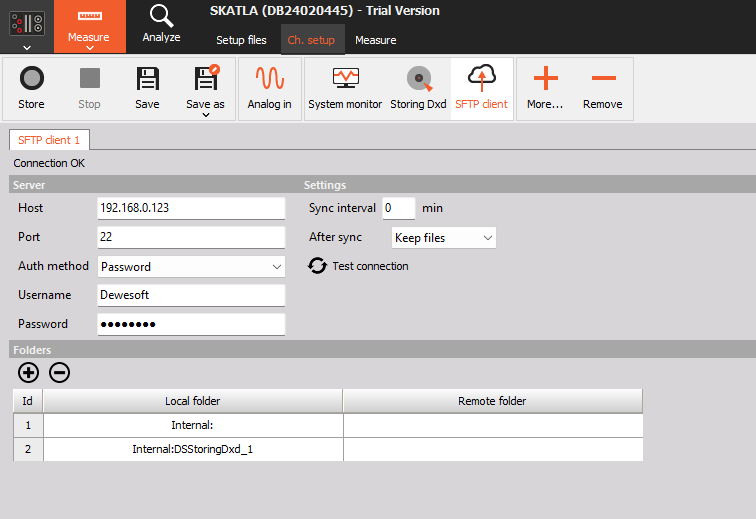
NOTE: When the connection status is OK, it means that the connection to the SFTP server has been established.