Integration and differentiation
The on-device Time int/der math module calculates the first or second integral, or the first or second derivative, of selected input signals in the time domain. For example, integration can convert acceleration into velocity or displacement, while differentiation can convert displacement into velocity or acceleration.
An optional filter helps control low-frequency drift during integration or high-frequency noise during differentiation.
Setup
Open Math for the measurement system, add a Time int/der math module, and open its Setup.
- Select the required input signals in the Input panel. Use the search field to find a signal.
- Choose the Operation.
- Enable Use filter if filtering is required, then set Order and Cutoff frequency.
- Review the generated channels in the Output panel and confirm the configuration with OK.
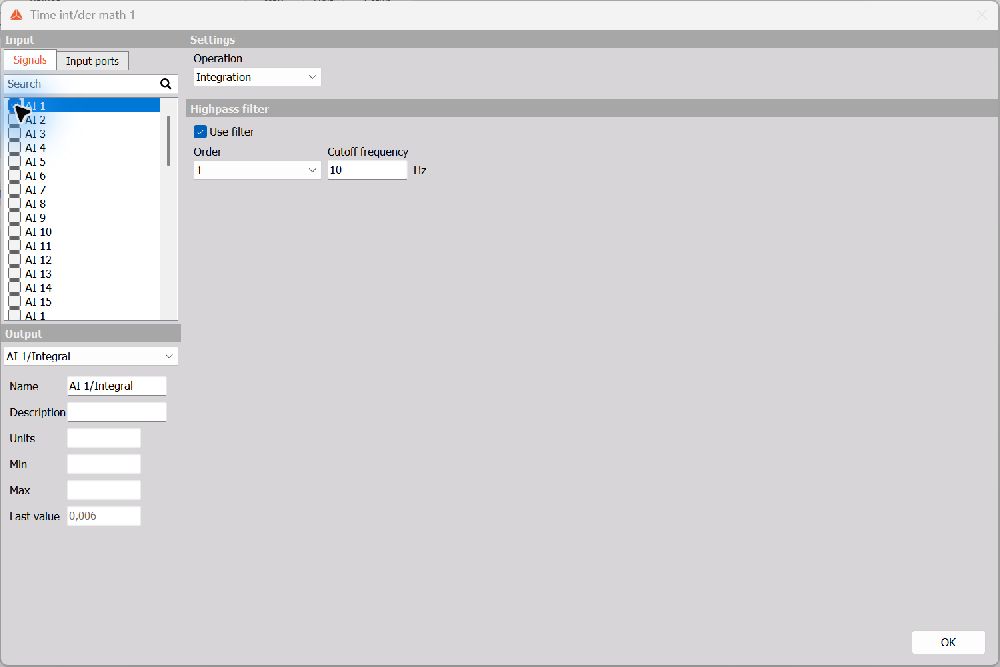
Operation
The operation applies to the selected input signals. The dropdown uses the terms Derivation and Double derivation for first and second differentiation.
| Operation | Calculation | Example |
|---|---|---|
| Integration | First integral of the input signal | Acceleration to velocity, or velocity to displacement |
| Double integration | Second integral of the input signal | Acceleration to displacement |
| Derivation | First derivative of the input signal | Displacement to velocity, or velocity to acceleration |
| Double derivation | Second derivative of the input signal | Displacement to acceleration |
Integration introduces a factor of time into the physical units; double integration introduces time squared. Differentiation divides the units by time, and double differentiation divides them by time squared. For example, an acceleration signal expressed in m/s² integrates to velocity in m/s, and integrates twice to displacement in m.
Optional filter
The filter type follows the selected operation:
| Operation | Filter shown in Setup | Purpose |
|---|---|---|
| Integration or Double integration | Highpass filter | Reduce DC offset and low-frequency components that can cause drift |
| Derivation or Double derivation | Lowpass filter | Reduce high-frequency components that differentiation can amplify |
Use filter enables or disables this additional filtering. When it is cleared, Order and Cutoff frequency are disabled; the selected integration or differentiation operation is still performed.
Order selects the filter order from 1 to 10. A higher order produces a steeper transition between the passed and attenuated frequency ranges.
Cutoff frequency sets the filter cutoff in Hz. Choose it according to the frequency range of interest in the measurement.
Integration and drift
Even a small offset in an input signal can cause an integrated result to drift. Double integration is particularly sensitive to low-frequency errors. Enable the Highpass filter when working with dynamic signals such as vibration, where the DC component is not part of the desired result.
A higher high-pass cutoff suppresses more low-frequency content and generally allows faster settling, but can also remove useful slow motion. A lower cutoff preserves slower variations and requires a longer settling time. Check that both the sensor and the chosen cutoff support the lowest frequency you need to measure.
When the DC component carries useful information, such as when accumulating distance from velocity or energy from power, high-pass filtering can remove part of that information. Choose whether to use it according to the application.
Differentiation and noise
Differentiation emphasizes rapid changes in the signal and can amplify high-frequency noise. Double differentiation strengthens this effect. Enable the Lowpass filter to limit unwanted high-frequency content.
Set the cutoff high enough to retain the changes of interest, but low enough to attenuate unwanted noise. For example, when calculating the acceleration associated with a vehicle’s motion from its speed, the frequency range of interest may be lower than the vibration frequencies present in the signal.
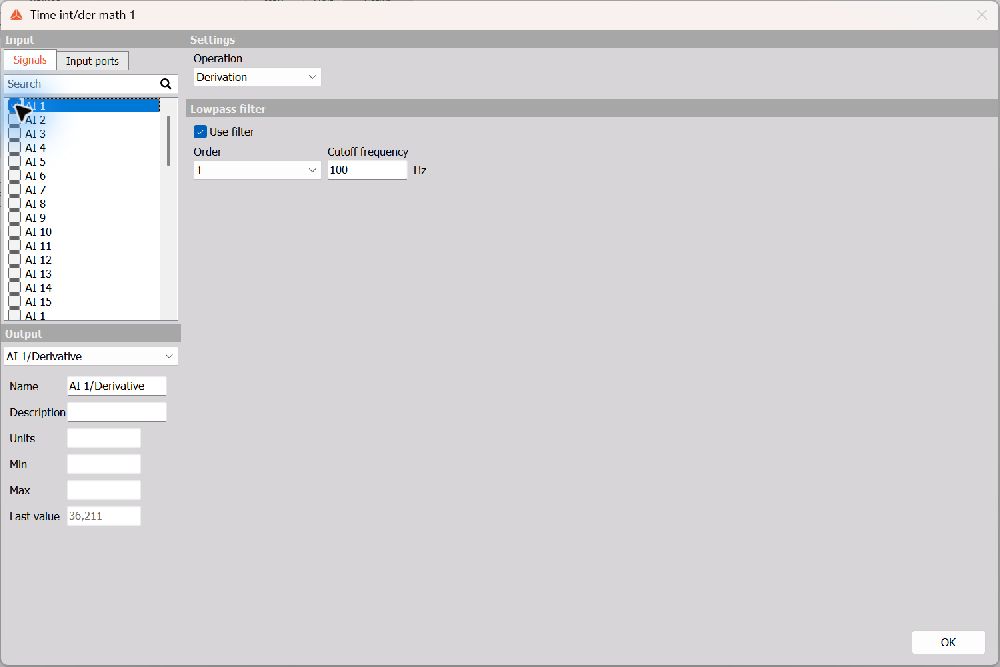
Output channels
Select a generated channel in the Output dropdown to review it. The panel provides editable Name and Description fields, together with read-only Units, Min, Max, and Last value information where available.
The screenshots show example configurations. Select the operation and filter settings to suit your signals and application.
Further information
For additional background and application examples, see the DewesoftX pages for Integration and double integration and Derivation and double derivation. The setup instructions on this page describe the parameters available in the on-device module.