Damping Marker (Recorder)
The Damping Marker is a powerful tool that helps you easily analyze how oscillations decrease over time after an excitation in a signal (such as an impact, pulse, or other input).
You can add a Damipng Marker by clicking the corresponding icon on the Marker Panel located on the right side of the widget. You can place as many markers as needed until you cancel the “Add” operation — simply do this by right-clicking your mouse.
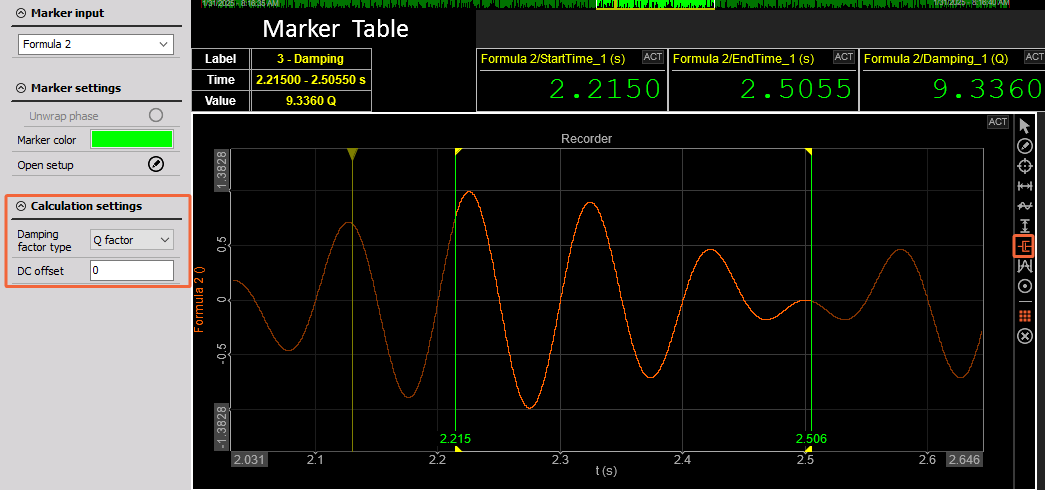
Ouptup Channels
- Start Time
- End Time
- Damping Factor Type
- Damping Ratio
- Q Factor
- Decay Rate
You can also define the DC offset for your calculations.
You can view all Marker values in the Marker Table, which can be added from the Marker Panel. For a more compact and organized display, you can enable the Transpose Marker Table option.