System Monitor
This module allows you to monitor hardware and software resources and performance. It will extract information from your system(s) and display it as channels.
Each value can be set to Used and/or Stored. You may also choose to Shutdown on critical if it reaches a certain limit.
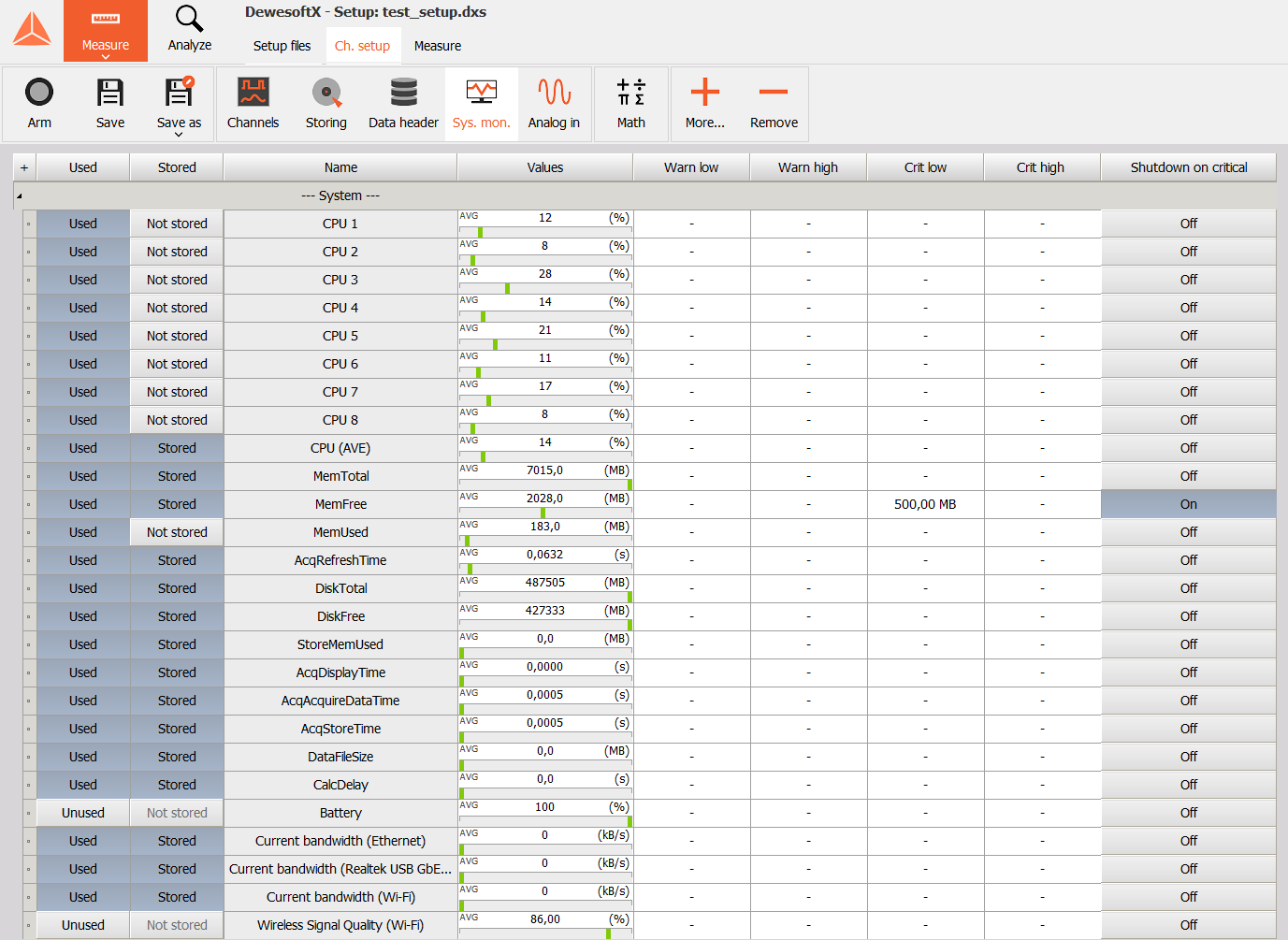
The picture above shows information that Dewesoft can extract from a computer. If you wish to hide certain columns or reorder them, right click on any column title and then on Edit columns.
NOTE: This information is directly related to the Performance monitor tool.
Dewesoft can also extract hardware debug information from connected data acquisition devices, such as synchronization status, IRIG time, VCXO value,… This option is located in Options - Settings - Advanced - Diagnostics.
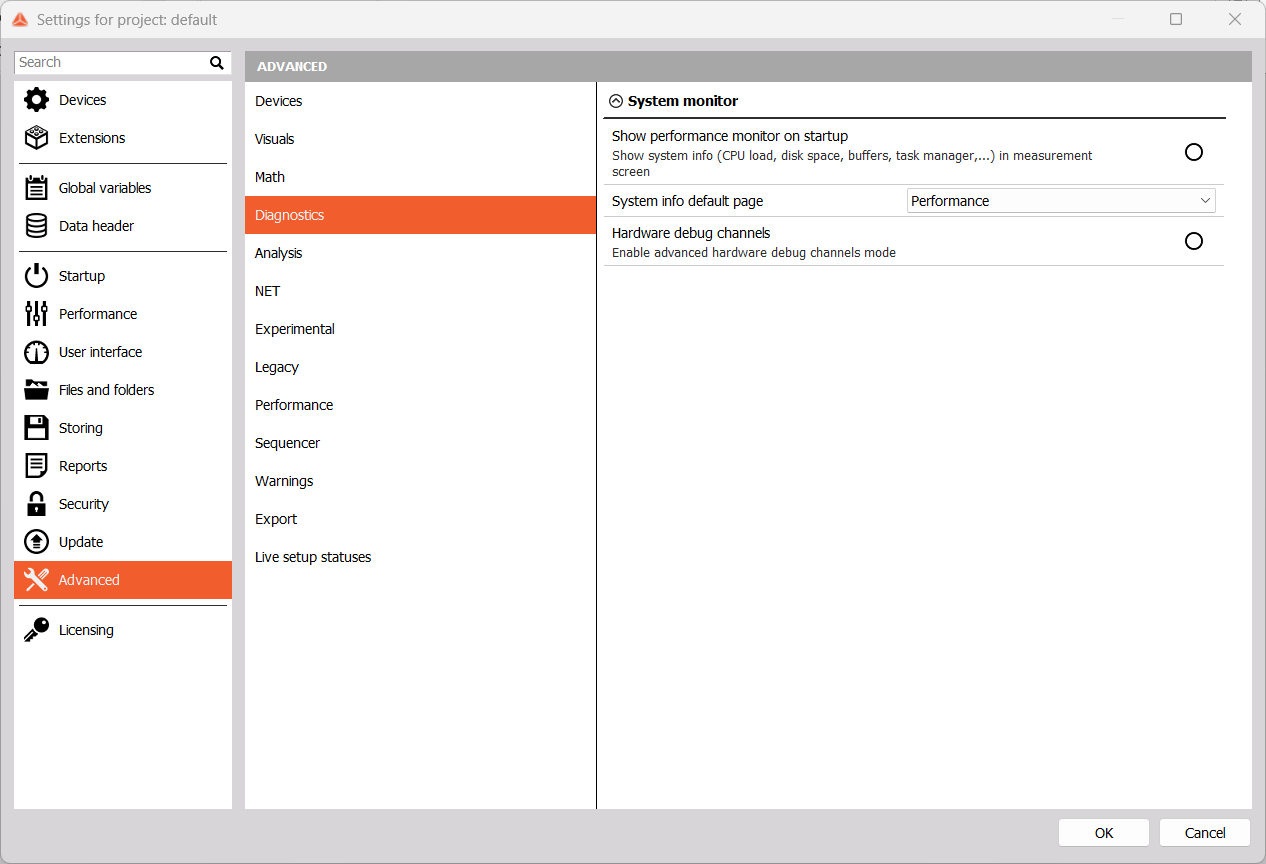
Example - USB device: DEWE-43A

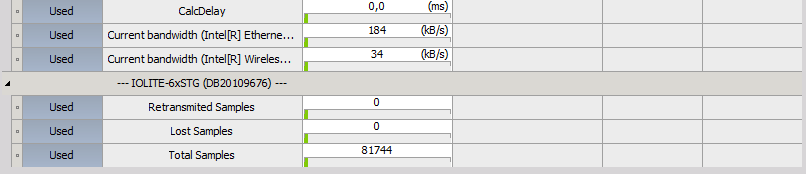
Example - EtherCAT device: IOLITE
Example - EtherCAT device: KRYPTON
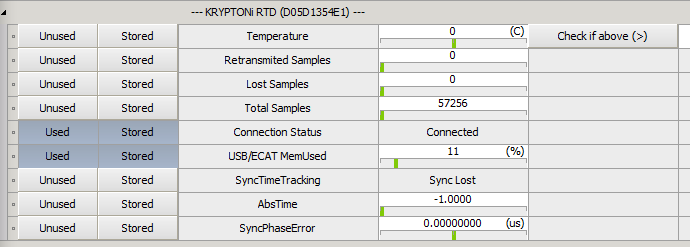
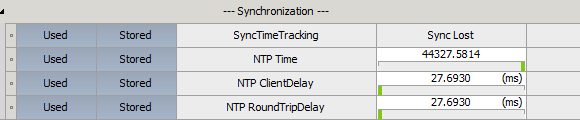
Example - Additional channels for Syncronization for ECAT line:
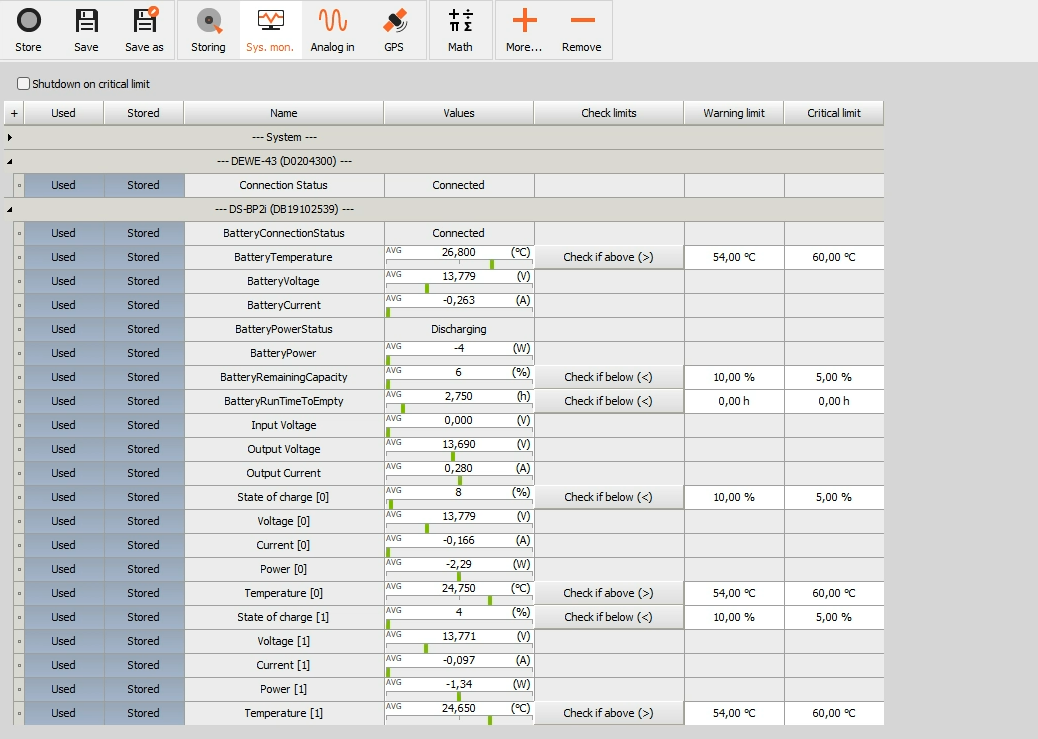
You can also monitor DS Battery Pack status. To enable those channels, go to Options - Tools - Event viewer and enable Show information. Rescan devices afterwards by going to Options - Settings - Devices and pressing F5.
Example - DEWE-43 being powered with DS-BP2i
Amplifier Status
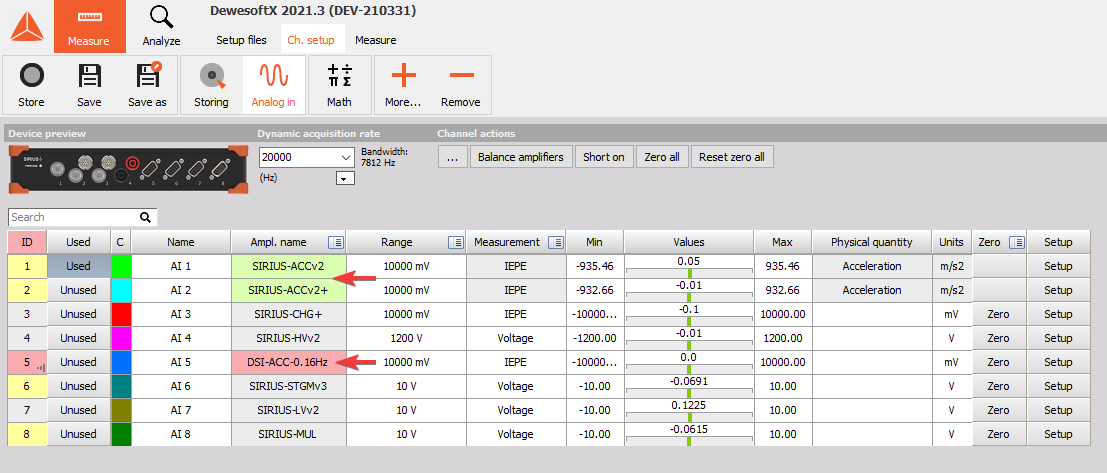
When connecting sensors to amplifier inputs, you can check the status in the Analog in module channel grid.
- Green - normal operation
- Red - issue
- Gray - no sensor detected or status identification not supported
Supported Amplifiers
ACCv2, DSI-ACC (IEPE mode)
- Sensor status indicated with:
- Present … 0
- Missing … 1
- Short … 2


- Bias Voltage [V]
Only with the latest DSI firmware (If values are not displayed when DSI adapter is connected, reprogramming at DEWESoft service is required)
SIRIUS STGv2 (Bridge mode)
- Excitation Power Status indicated with:
- OK … 0
- OVL … 1
- Open … 2
- Excitation Voltage [V]
- Excitation Power [W]
