Free Marker (Recorder)
Free Markers are a perfect tool for pinpointing data points that represent values of interest on the Recorder.
You can add a Free Marker by clicking the Target icon on the Marker Panel on the right side of the widget. You can place as many markers as you like until you cancel the “Add” operation — simply do this by right-clicking your mouse.
The Free Marker outputs two channels:
- Value
- Time
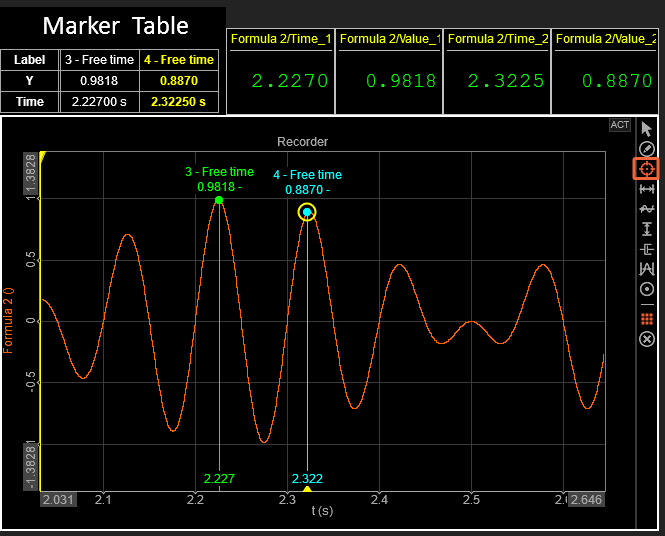
You can view all Marker values in the Marker Table, which can be added from the Marker Pannel. For a more compact and organized display, you can enable the Transpose Marker Table option.
Adding Marker to More Channels at once
You can add a Free Marker to multiple channels at once:
- Within the same Recorder: Hold CTRL while adding a marker.
- Across multiple Recorder groups: Hold CTRL + ALT while adding a marker.