Devices
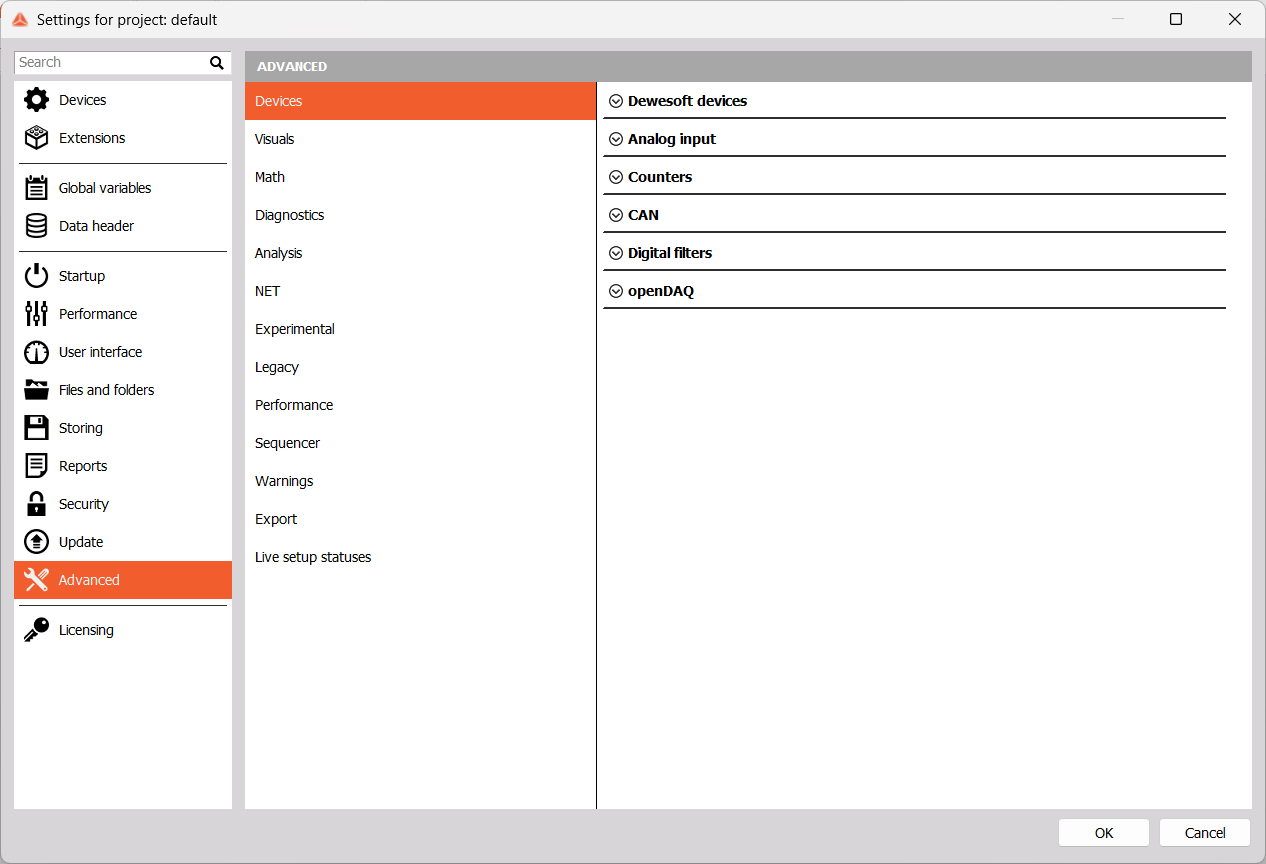
Dewesoft Devices
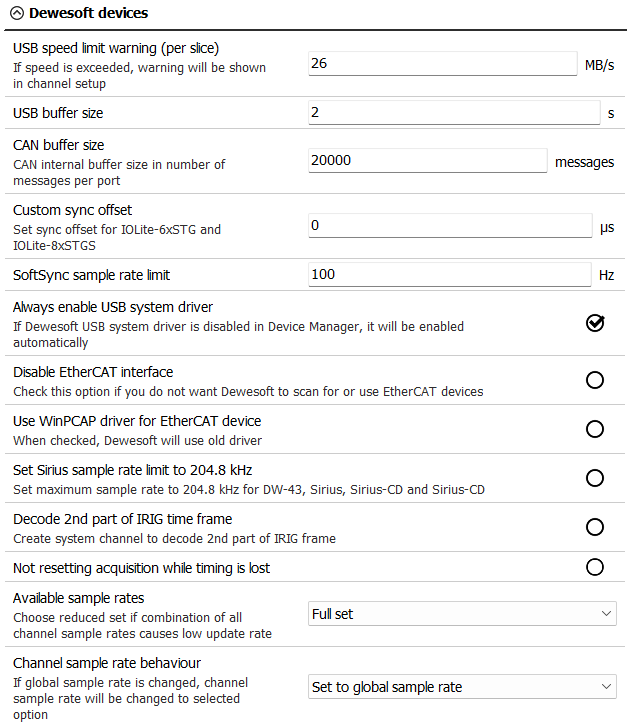
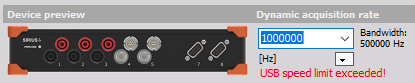
- USB speed limit warning (per slice) - If the speed is exceeded, a warning will be shown in Ch. setup.
- USB, CAN buffer size
- Custom sync offset
- SoftSync sample rate limit - Define the maximum sample rate limit if devices are synchronized with SoftSync.
- Always enable USB system driver - Even if Dewesoft USB system driver is disabled in Device Manager.
- Disable EtherCAT interface - Disables scaning for or using EtherCAT devices.
- Use WinPCAP driver for EtherCAT device - Use older EtherCAT drivers.
- Set SIRIUS sample rate limit to 204.8 kHz - Set maximum sample rate to 204.8 kHz for DW-43, Sirius, Sirius-CD and Sirius-HD.
- Decode 2nd part of IRIG time frame - DS-Clock can now decode the second part of IRIG signal. A new channel will be shown in the system monitor.

- Not resetting acquisition while timing is lost
- Available sample rates
- Full set
- Reduced set
- Channel sample rate behaviour
- Set to global sample rate
- Keep channel sample rate dividers
- Keep channel sample rate
- Keep channel sample rate (RoundUp)
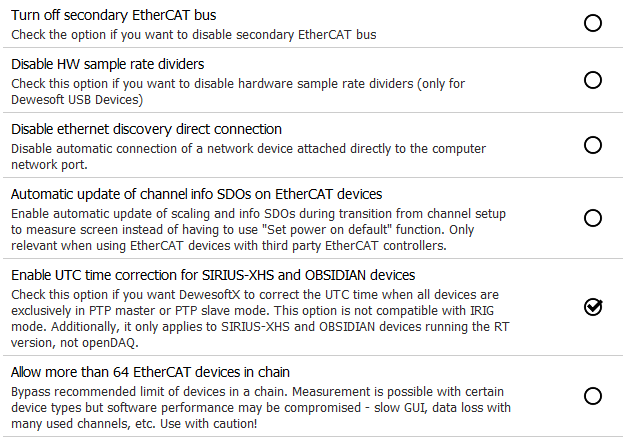
- Turn off secondary EtherCAT bus
- Disable HW sample rate dividers - Only for Dewesoft USB devices.
- Disable ethernet discovery direct connection Device to the computer network port will not be automatically connected.
- Automatic update of channel info SDOs on EtherCAT devices - Relevant when using third party EtherCAT controllers.
- Enable UTC time correction for SIRIUS-XHS and OBSIDIAN devices - When devices are exclusively in PTP master or PTP slave mode. Not compatible with IRIG mode.
- Allow more than 64 EtherCAT devices in chain - Exceeding the recommended limit of devices in a chain may compromise performance.
Analog Input
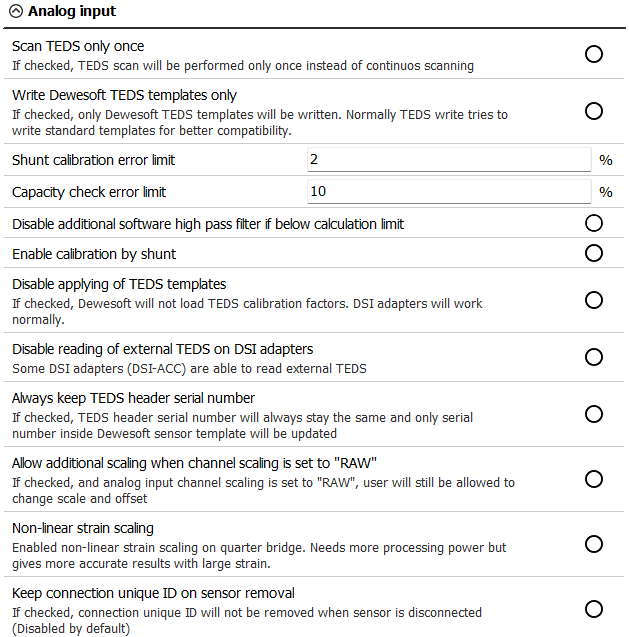

- Scan TEDS only once - TEDS chips will not be scanned for continuously.
- Write Dewesoft TEDS templates only
- Shunt calibration error limit - Maximum allowed deviation from the Shunt cal target value (works on STG, STGM modules).
- Capacity check error limit - Maximum allowed deviation from Capacity target (works on CHG modules).
- Disable additional software high pass filter if below calculation limit - When this option is enabled and the limit of the software high-pass filter (SW-HPFilter) is reached, no additional SW-HPFilter is calculated.
- Enable calibration by shunt -Use shunt calculation result and for further measurement.
- Disable applying of TEDS templates - Dewesoft will not load TEDS calibration factors, but DSI adapters will work normally.
- Disable reading of external TEDS on DSI adapters
- Always keep TEDS header serial number - Only the serial number inside the Dewesoft sensor template will be updated.
- Allow additional scaling when channel scaling is set to “RAW” - You will still be able to change scale and offset when scaling is set to “RAW”.
- Non-linear strain scaling - When enabled, gives more accurate results on quarter bridge, but requires more processing power.
- Keep connection unique ID on sensor removal
- Retain ‘Used’ property on channel reset
- Enable predefined channel names - Enable to use the Predefined channels Editor.
Counters

Enable encoder zero by default is active by default.
CAN

You can set the CAN default to acknowledge mode when a new device is found.
Digital Filters
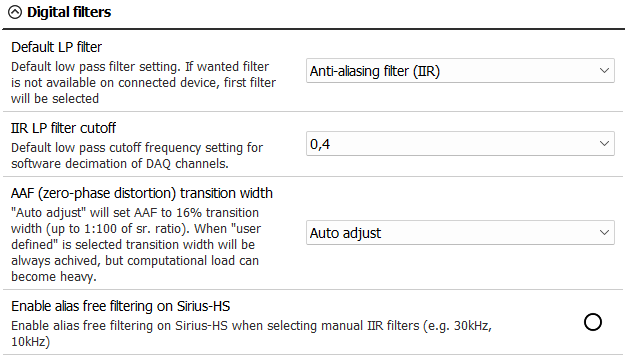
- Default LP filter - If the chosen low-pass filter is not available on the connected device, the first filter will be selected:
- Off
- Anti-aliasing (IIR)
- AAF (zero-phase distortion)
- IIR LP filter cutoff - set the cutoff frequency.
- AAF (zero-phase distortion) transition width
- Auto adjust - 16% transition width (up to 1:100 of sample rate ratio).
- User defined - The transition band will always be achieved, but possibly with a heavy computational load.
- Enable alias free filtering on Sirius-HS - For manual IIR filters.
OpenDAQ
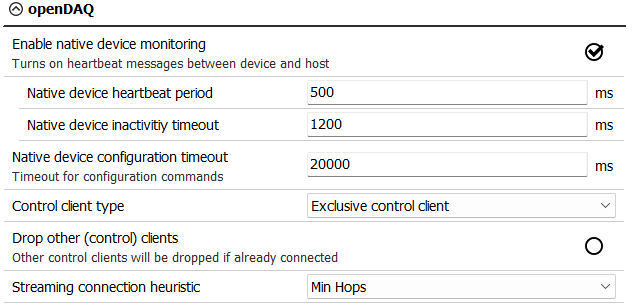
- Enable native device monitoring will turn on heartbeat messages for which you can adjust:
- Native device heartbeat period
- Native device inactivity timeout
- Native device configuration timeout
- Control client type
- Control client - not supported
- Exclusive control client
- Drop other (control) clients - Will be dropped if already connected.
- Streaming connection heuristic
- Min connections
- Min hops